Why a cosine integer gate misclassifies nearby floats
Compare floor(abs(cos(πx))) with Number.isInteger through reproducible examples, JavaScript Number parsing and safe-integer limits.
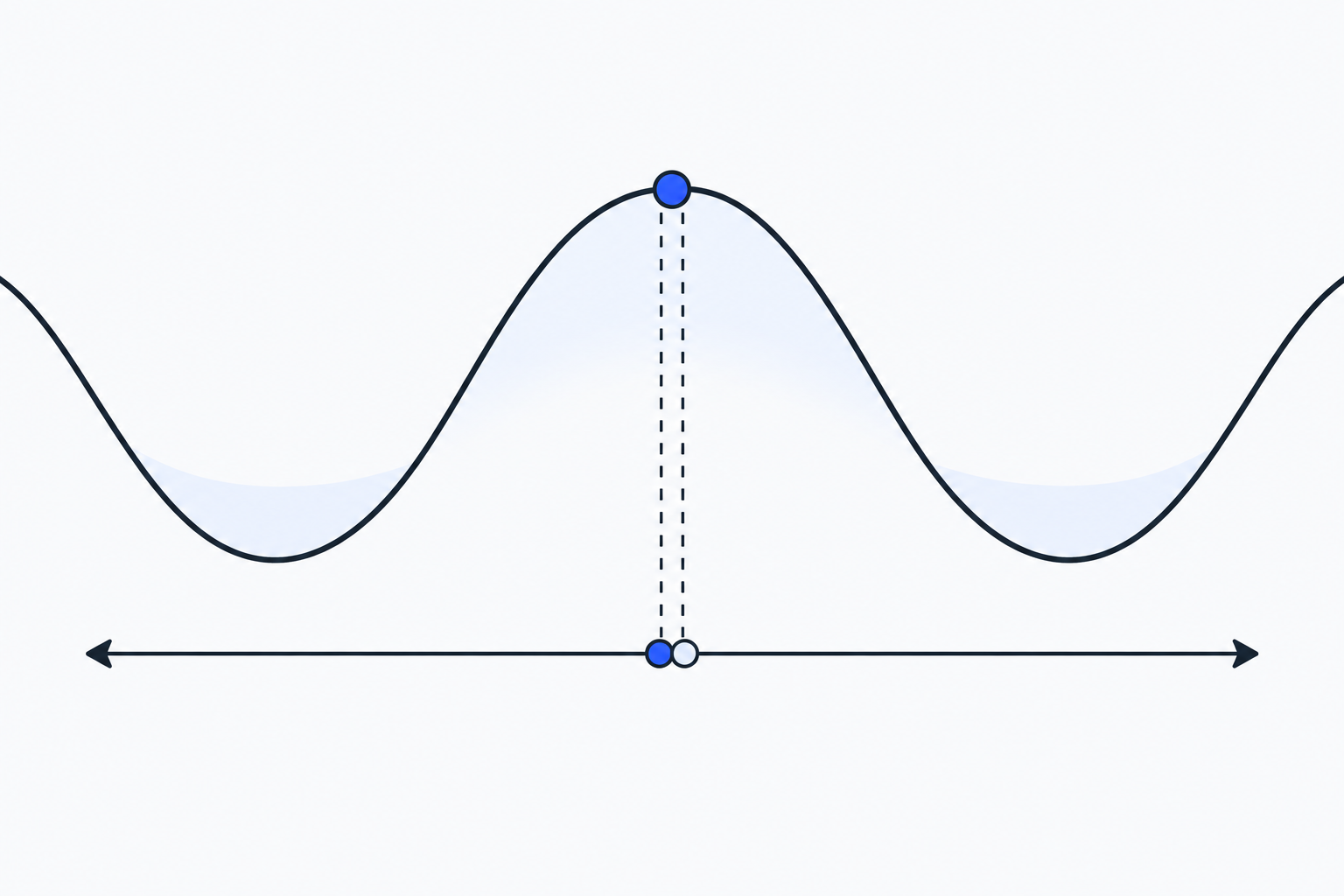
Math.floor(Math.abs(Math.cos(Math.PI * x))) has an appealing real-number story. At an integer, cos(πx) is 1 or -1; take the absolute value and floor it, and the result is 1. Away from an integer, the absolute value is below 1, so the result is 0. JavaScript changes the question before that expression even runs: x, Math.PI and the cosine result are all binary64 floating-point values. A value near an integer can make this gate return 1 while Number.isInteger still returns false.
The floating-point integer check puts those two outcomes on one page. It accepts one finite plain decimal in the browser, parses it as a JavaScript Number, and shows the cosine gate, Number.isInteger, safe-integer status and whether the parsed number’s visible display departs from the input. This note uses the same runnable examples to show where the two checks part company.
From a real-number trick to six reproducible inputs
The construction comes from Artemii Karapetian’s High School Calculator Computes Analytical Number Theory, shared in this Hacker News discussion. The article uses
Z(x) = floor(abs(cos(π × x)))as an integer gate on a calculator, then composes it into divisibility and summation constructions. Its later steps set their own bounds: the divisor sum starts at 2, and a formula used to bound the nth prime has conditions such as n ≥ 6. That is a construction under a restricted calculator vocabulary. It does not turn the expression into a general JavaScript integer API or a general-purpose prime generator.
I ran the following values through the same expression and Number.isInteger in Node v26. The complete file is available to download and run.
const gate = x => Math.floor(Math.abs(Math.cos(Math.PI * x)));

for (const x of [1, 1.000000001, 1.00000001, 0.5, 2, 9]) {
  console.log(x, gate(x), Number.isInteger(x));
}| Input | floor(abs(cos(π × x))) | Number.isInteger(x) |
|---|---|---|
1 | 1 | true |
1.000000001 | 1 | false |
1.00000001 | 0 | false |
0.5 | 0 | false |
2 | 1 | true |
9 | 1 | true |
The useful counterexample is 1.000000001. It is not an integer, and Number.isInteger reports that fact. In this environment, the cosine gate nevertheless returns 1. Move one decimal place farther away to 1.00000001, and the gate goes back to 0. This is not an integer definition that a fixed tolerance can repair. The answer depends on the input, the approximation of π, intermediate multiplication and the rounding behavior of the trigonometric implementation.
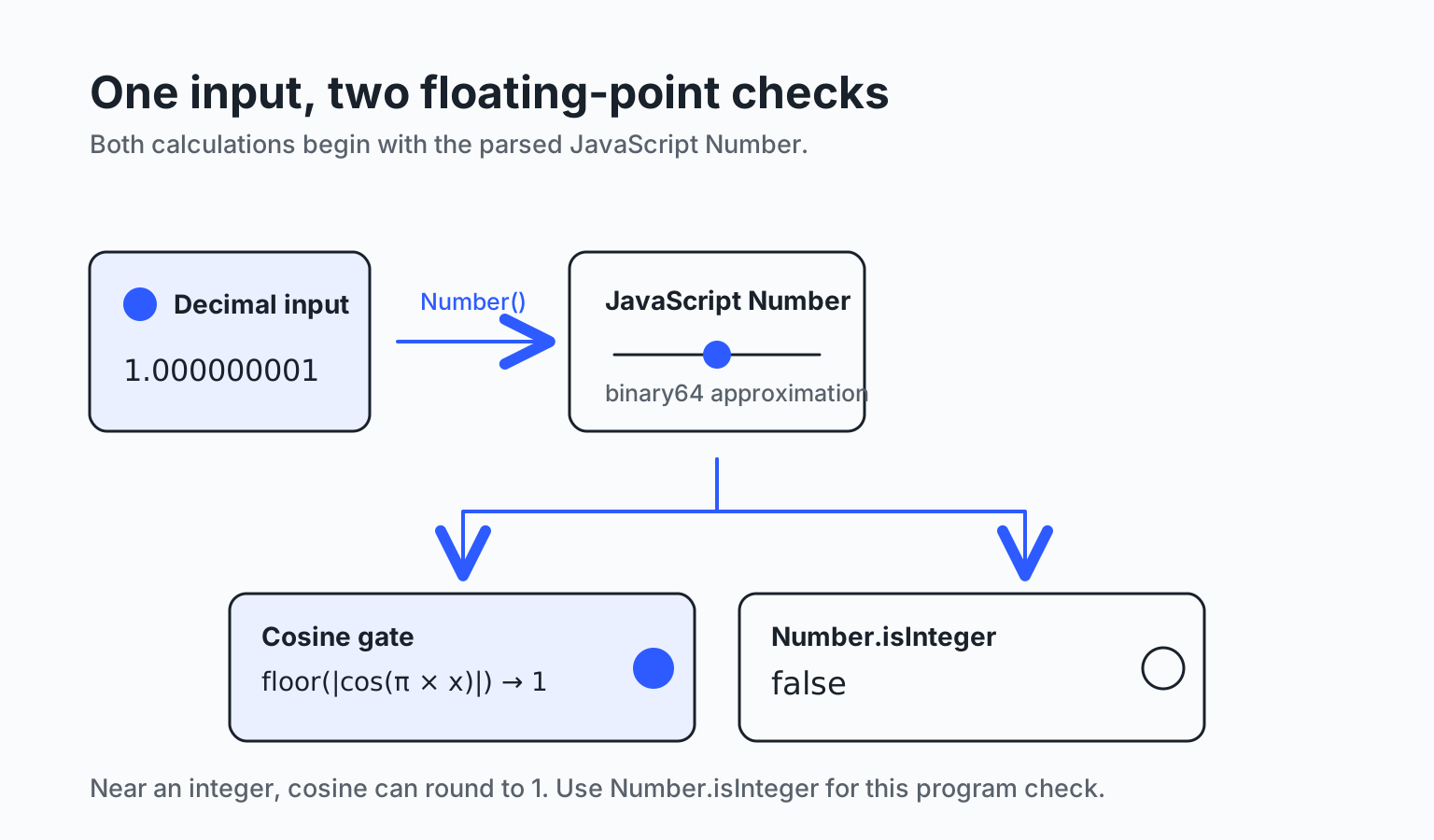
The diagram deliberately separates decimal text from the parsed Number. Both checks operate on the same binary64 value, not on the real number suggested by the text on the page.
Why 1.000000001 gets through the gate
In an exact real-number model, the distinction follows from the exact values of cosine. A JavaScript runtime does not carry that model unchanged. The text 1.000000001 becomes the nearest binary64 value, and Math.PI is a binary64 approximation too. Math.PI * x and Math.cos(...) each introduce their own rounding. In this local Node v26 run, Math.abs(Math.cos(Math.PI * 1.000000001)) displayed as 1, which makes the outer Math.floor(...) return 1.
That does not make the input an integer in the mathematical sense, and it is not useful to recast the formula as an “integer test with a tolerance.” Near a cosine peak, a small difference can be compressed into a rounded peak value; floor then makes a hard split between 0.999… and 1. JavaScript engines may differ in their lowest-level numerical details. The counterexample therefore does not promise that every runtime will disagree at exactly the same decimal. It shows why this formula cannot take responsibility for an integer predicate in program logic.
The tool begins with the same counterexample in an English interface. The formula’s output stays on the left, the standard API result stays on the right, and the raw decimal plus its safety range remain visible above both.
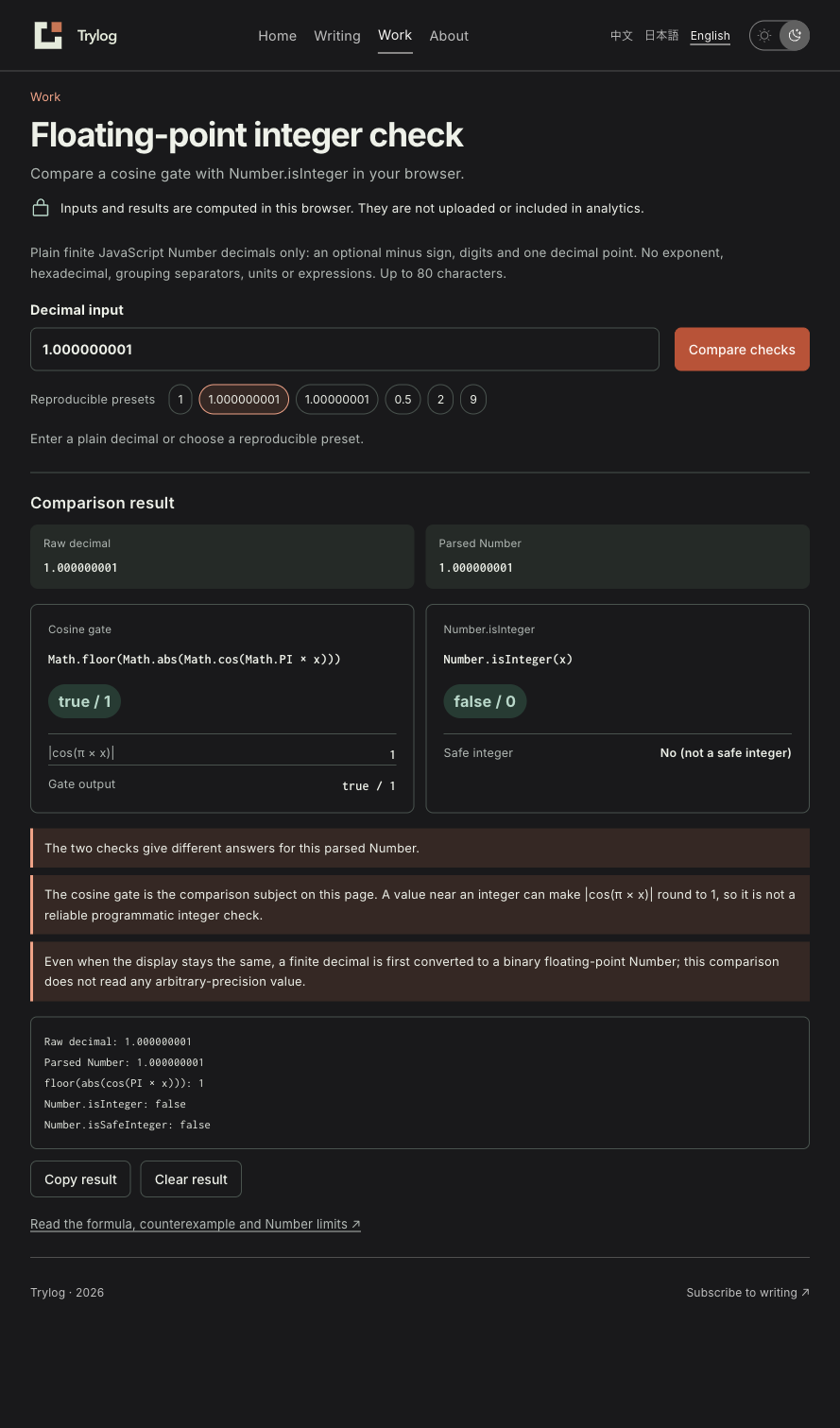
Changing the input immediately clears the previous result, so a fresh-looking field cannot be compared with stale output. The preset buttons contain all six reproduction values, and Copy only copies the report created on the current page.
An integer after parsing is not necessarily the integer in the source string
Number.isInteger has a narrow and useful job: it asks whether an existing JavaScript Number has a fractional part. It does not know whether the value came from JSON, a form field or a source-code literal, and it cannot restore decimal digits that disappeared during parsing. The safe-integer ceiling is Number.MAX_SAFE_INTEGER, or 9007199254740991. Above that, binary64 cannot distinguish every neighboring integer.
const source = '9007199254740993';
const value = Number(source);

console.log(value);                       // 9007199254740992
console.log(Number.isInteger(value));     // true
console.log(Number.isSafeInteger(value)); // false
The true is a correct answer about the parsed value 9007199254740992. It does not establish that the original string still denotes the same integer. The tool shows Raw decimal and Parsed Number side by side. It marks a visible parse change only when their normalized decimal displays differ, as in 9007199254740993 → 9007199254740992. Other decimal text can retain its display while still being represented approximately in binary64, so unchanged display is not an arbitrary-precision guarantee.
That distinction is also why the input grammar rejects 1e-9, 0x10, 1,000, NaN, Infinity, units and expressions. It accepts an optional minus sign, digits and one decimal point, up to 80 characters. Each accepted string takes one unambiguous parsing route; the page never executes the input or treats it as an arbitrary-precision number.
Which check belongs in program code
When a variable is already a JavaScript Number and the question is simply whether that present value has a fractional part, use Number.isInteger(value). If the value will act as an array index, exact counter, identifier or operand next to neighboring integers, add Number.isSafeInteger(value). Check the concrete business range separately: Number.isSafeInteger also accepts negative integers, so it does not by itself validate an array index. Those APIs share the language’s own number model and make the intent clearer than a detour through trigonometry.
When a task begins with decimal text and every digit must survive, do not reduce it to Number first. Keep the original text and use an integer representation appropriate to the required range. This comparison tool deliberately makes no arbitrary-precision promise. The cosine gate remains interesting because it reveals a way to build a one-case gate from a function with a sharp mathematical value; it is useful for understanding the original construction, not as a replacement for a program’s integer check.
The tool has no backend, cloud function or third-party calculation service. Its input, parsed value, result and copied report remain in the current browser and are not uploaded or sent as analytics fields. Site visits and navigation can still be measured under the site’s existing rules; that is separate from the number being compared.
Open the floating-point integer check, choose Near-integer counterexample, then Slightly farther non-integer. Seeing the result switch is more useful than only remembering that “floating point has errors,” and gives the next code change a specific numerical reason.