FlyBudget self hosted budgeting From deployment to a monthly reconciliation
Test FlyBudget with seven synthetic transactions, covering local Docker deployment, monthly budgeting, cash flow, backup recovery, versions, and deletion boundaries.
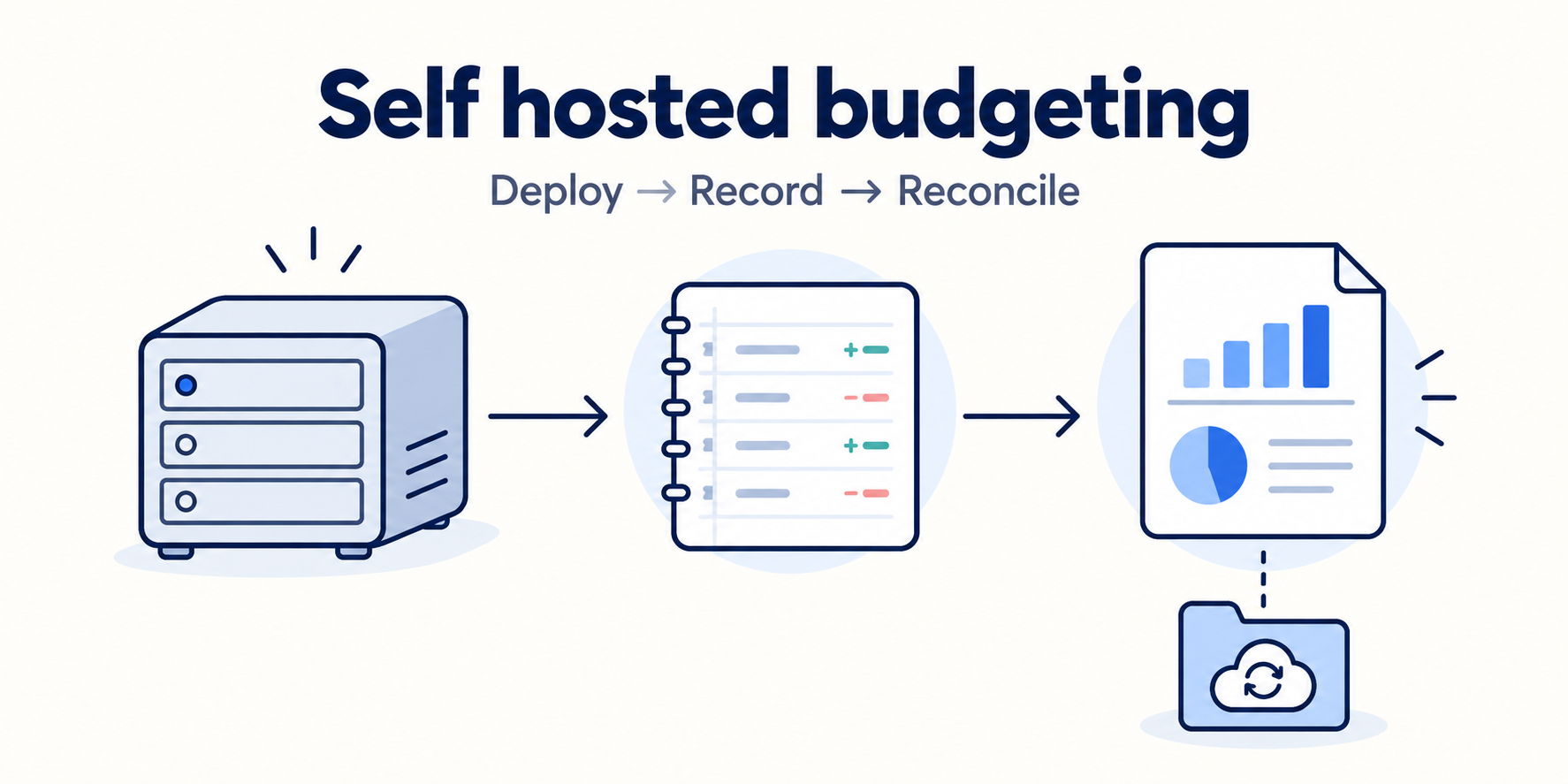
Before putting a budget on your own computer, two questions matter: does the arithmetic reconcile, and can you take the data with you? I started an official FlyBudget Docker image bound only to localhost, loaded seven synthetic transactions, checked a monthly budget, and then deleted one transaction and restored a backup. Income of $3,000, expenses of $1,690, net inflow of $1,310, and the account balance reconciled. The restore brought all seven transactions and the budget records back.
For this test, I loaded the sample through the local API and checked the budget, cash flow, and backup restoration in the English interface. Manual transaction entry, CSV import, and editing budget amounts were not successfully tested. Bank sync remained disabled. The results below concern this small sample.
Identify the version you are actually running
The Reddit introduction describes monthly budgets, transaction tracking, cash flow diagrams, and Docker self hosting. Its author is also the developer. The post helped me find the project; I used the public repository to check its source and license.
There is a version difference that affects reproduction: package.json on main had reached 1.0.0, while the official latest Docker image I pulled was labeled 0.1.0 and pointed to source revision 500ac93310a4dda26b0a0d9c08ec3fefffa24088. This article reports that image, with the following digest:
ghcr.io/dtymoszenko/flybudget@sha256:0be7265ccac2a1caf64f2eb5d3154c72d420a33feeffcedc512d9fe86d9b5fe7The LICENSE at that revision is GNU AGPL v3. It permits use, study, and modification. A modified version offered to other people over a network must provide the corresponding source under the license. Running the original application for a personal budget test and offering a modified public service are different use cases.
Keep the test instance on localhost
The host was macOS, with Docker reporting Linux aarch64. The official image ran in that environment without compiling React, Express, or SQLite on the host. The container stores its database in /data. I used a separate temporary directory and bound the port to 127.0.0.1:18724.
The first launch lacked an encryption key and stopped with Server mode requires an encryption key for bank credentials. Server mode requires that key even when no bank is connected. After supplying a base64 encoded 32 byte key, I used the one time setup code from this test container’s log to set a local password and sign in. Keep the key, setup code, and password in your private environment.
These are the relevant runtime settings. The data directory must be writable by container uid 1000. Generate and retain your own FLYBUDGET_DATA_KEY; the command passes its name without putting a real key into the example:
docker run -d --name flybudget-test \
  -p 127.0.0.1:18724:3001 \
  --mount type=bind,src=/your/private/test-data,dst=/data \
  --env FLYBUDGET_DATA_KEY \
  --read-only --tmpfs /tmp --cap-drop ALL \
  --security-opt no-new-privileges:true \
  ghcr.io/dtymoszenko/flybudget@sha256:0be7265ccac2a1caf64f2eb5d3154c72d420a33feeffcedc512d9fe86d9b5fe7
The Compose file for this version also supports reading the key from a secret file. Its default port mapping listens on every network interface. I explicitly chose loopback for this local test. Access from other devices needs HTTPS, a reverse proxy, and the correct persistent directory permissions as described in the self hosting guide; I did not configure that deployment here.
Reconcile a month you can calculate by hand
The synthetic account, Synthetic Checking, started with $1,000 and was an on budget checking account. The sample month was September 2026, and all payee names also began with Synthetic. API amounts are integer cents: positive for income and negative for expenses. A $3,000 salary was 300000, while $1,200 rent was -120000.
| Date | Category | Amount USD |
|---|---|---|
| September 1 | Salary | +3,000 |
| September 2 | Rent | -1,200 |
| September 6 | Groceries | -80 |
| September 10 | Utilities | -90 |
| September 12 | Groceries | -120 |
| September 20 | Groceries | -140 |
| September 22 | Transportation | -60 |
The seven transactions contained no transfers, splits, or balance adjustments, making the basic calculation easy to inspect. Expenses total 1,200 + 80 + 90 + 120 + 140 + 60 = 1,690. Net inflow is 3,000 - 1,690 = 1,310, and the account balance is 1,000 + 1,310 = 2,310. Both the account API and cash flow API returned those figures.
The plan allocated $1,200 to rent, $300 to groceries, $100 to utilities, and $80 to transportation, totaling $1,680. Groceries actually cost $340, exceeding the plan by $40. Utilities and transportation had $10 and $20 remaining, leaving the total plan $10 short. Selecting September in Budget showed Planned, Actual, and Remaining values matching these calculations.
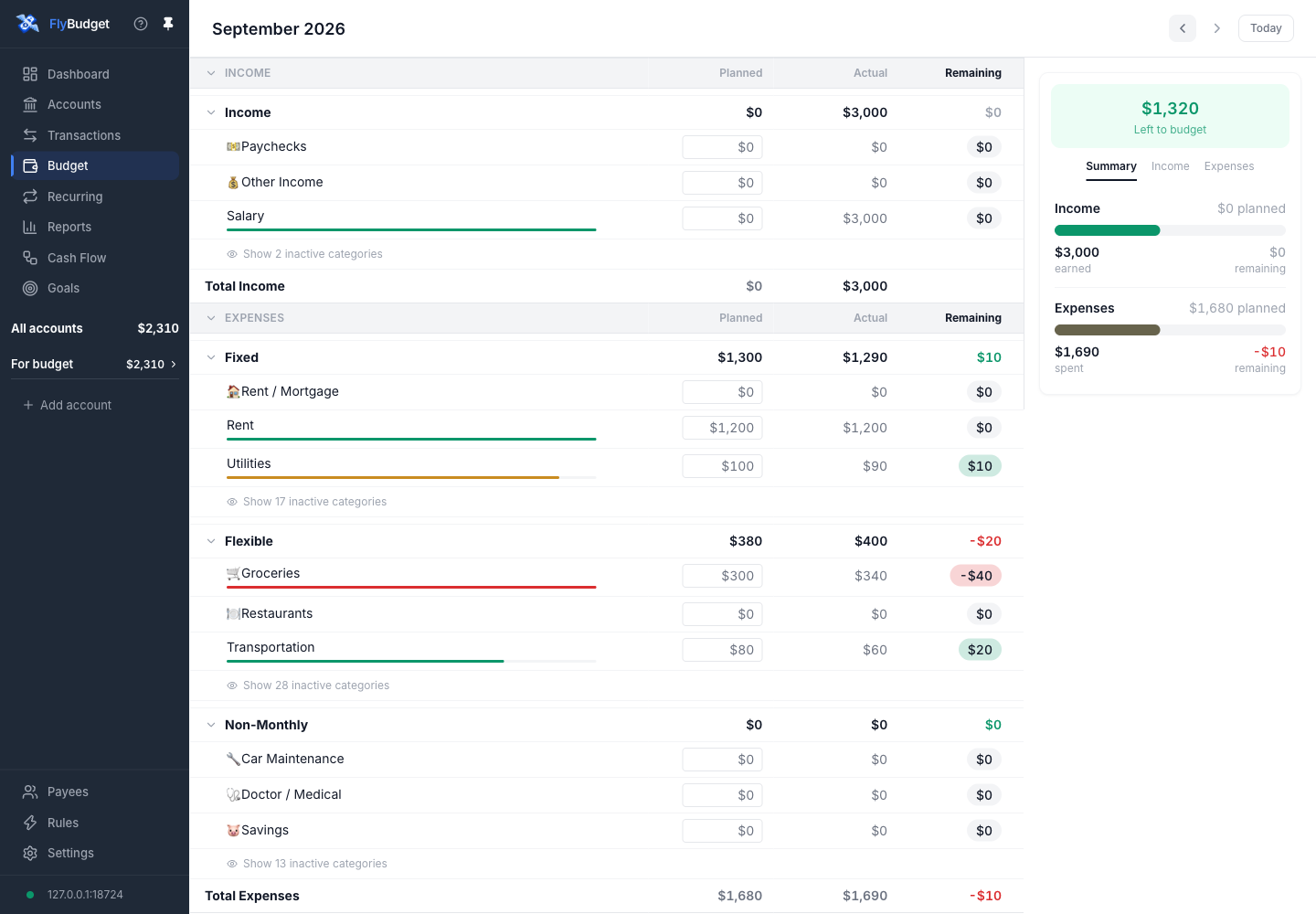
Groceries were planned at $300 and cost $340. Total planned expenses were $1,680 against $1,690 actual.
Preparing the test categories revealed a display boundary. Expense categories created directly through the API without budgetType contributed to the totals but did not appear in the fixed or flexible budget detail groups. Assigning fixed or flexible made the rows visible. A custom import script therefore needs complete budget types as well as correct amounts and category IDs. The normal creation interface and an API bulk load require separate verification.
The $1,320 Left to budget figure is income of $3,000 minus $1,680 already allocated. The $2,310 account balance also includes starting funds. These figures describe different things, so the labels matter as much as their color.
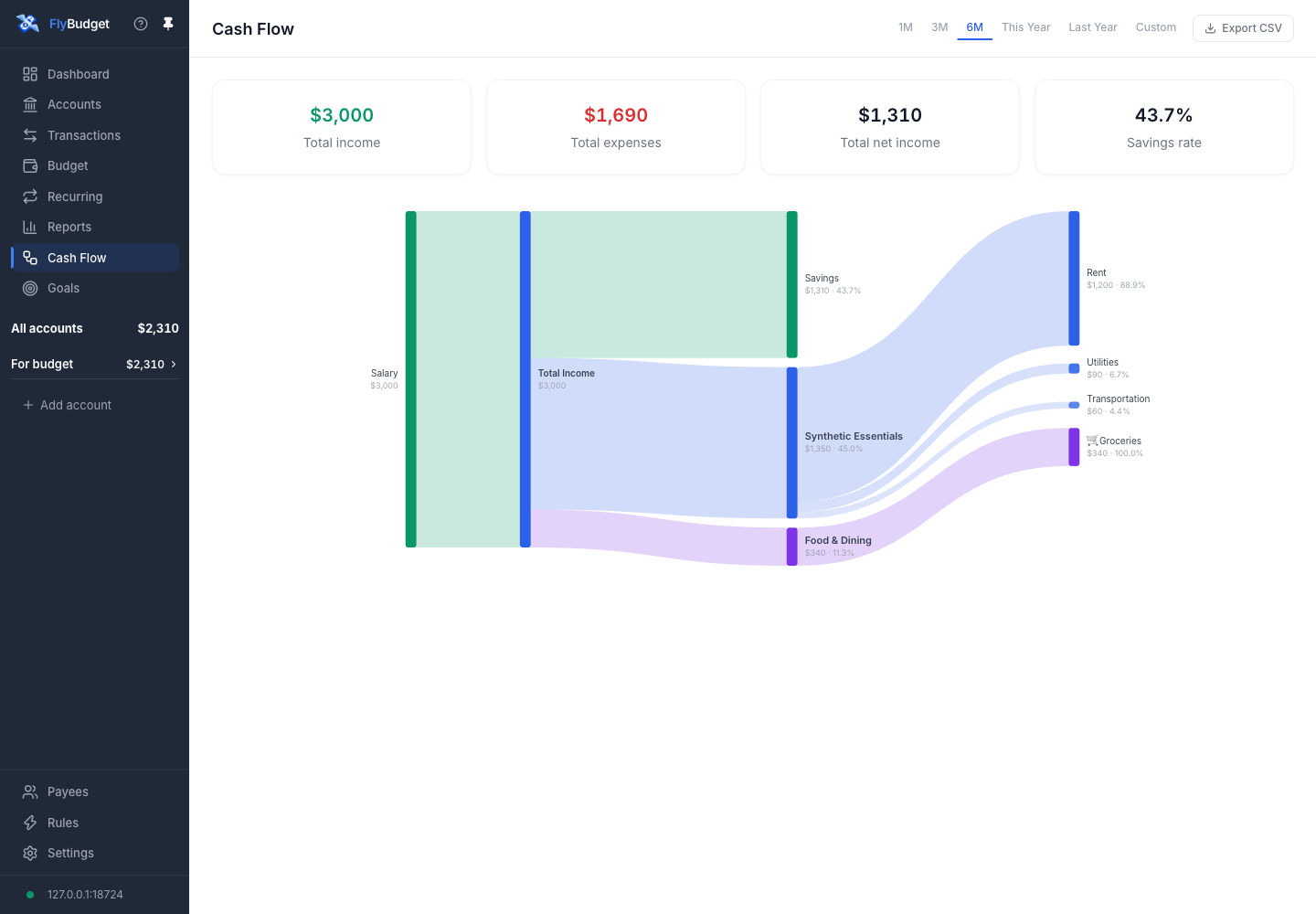
The cash flow diagram shows $3,000 income, $1,690 expenses, and $1,310 net income for the sample.
The Cash Flow screenshot uses the 6M range. This instance contains only the seven transactions from one month, so the total equals the single month query. The displayed 43.7% is net income divided by income. Savings in the diagram is the surplus for the selected range, not an additional transaction transferred to a savings account.
Check whether a backup actually restores the budget
In Settings → Data, I clicked Download Backup and received JSON with format flybudget-backup, version 2. It contained accounts, categories, transactions, budget months, and other tables, including all seven sample transactions. A CSV export for the same period had a header and seven transaction rows. CSV is useful for checking the ledger; the full JSON also covers the budget and categories needed for this restore.
I then deleted the $140 grocery transaction through the local API. The server returned 204, a fresh backup contained six transactions, and the account balance rose to $2,450. Back in Data, I selected the downloaded JSON through Restore Backup and confirmed Replace my data. The interface reported seven restored transactions and a safety copy of the previous database.
After restoring, I exported JSON again. Every table matched the original backup after excluding the automatically changing exportedAt field, and the account balance returned to $2,310. This checks a restore after deleting one transaction and a full backup round trip for this small sample. Bank credentials are excluded from that JSON, so bank connections require separate handling of their encryption key and configuration.
Closing an account does not erase its copies
I created another zero balance account, Synthetic Archive Probe, and called the account deletion endpoint. It disappeared from the active list, but a new full backup still contained it with a nonempty closedAt field. The corresponding source confirms that account deletion closes it.
Deleting a transaction changes the active ledger; closing an account tidies the list. Neither operation automatically destroys downloaded JSON, pre-restore safety copies of the database, or browser offline copies. When removing a self hosted instance, first stop the container you created, decide which database and backups to keep, and then handle your persistent directory and browser copies. This test verified logical deletion and recovery, not secure disk erasure.
Follow the whole data path
The exercised path was browser → Express API on the local port → SQLite in /data, with exports returning to local files. Resource requests observed while opening Cash Flow came only from http://127.0.0.1:18724. The tested source also contains network features for Plaid, SimpleFIN, and payee logos. I configured no bank connection and used no external logo service, so that observation covers the pages and synthetic workflow exercised here.
FlyBudget provides a useful starting point for a small budget maintained manually: the local instance connects category plans, ledger calculations, and restorable backups in one workflow. Before adding a real ledger, I would run the same arithmetic with a synthetic month and check the version, categories, starting balance, and backup directory. Transfers between accounts, splits, carry-over, and bank sync change the reconciliation conditions and deserve their own tests when needed.