How a Non-Coder Can Hand a Markdown Draft to a GitHub Pages Blog Editor
An original Markdown draft, a real unified diff, a read-only local preview, and a handoff checklist show the roles of writer, reviewer, and maintainer. GitHub Pages and PR details are documented references only.
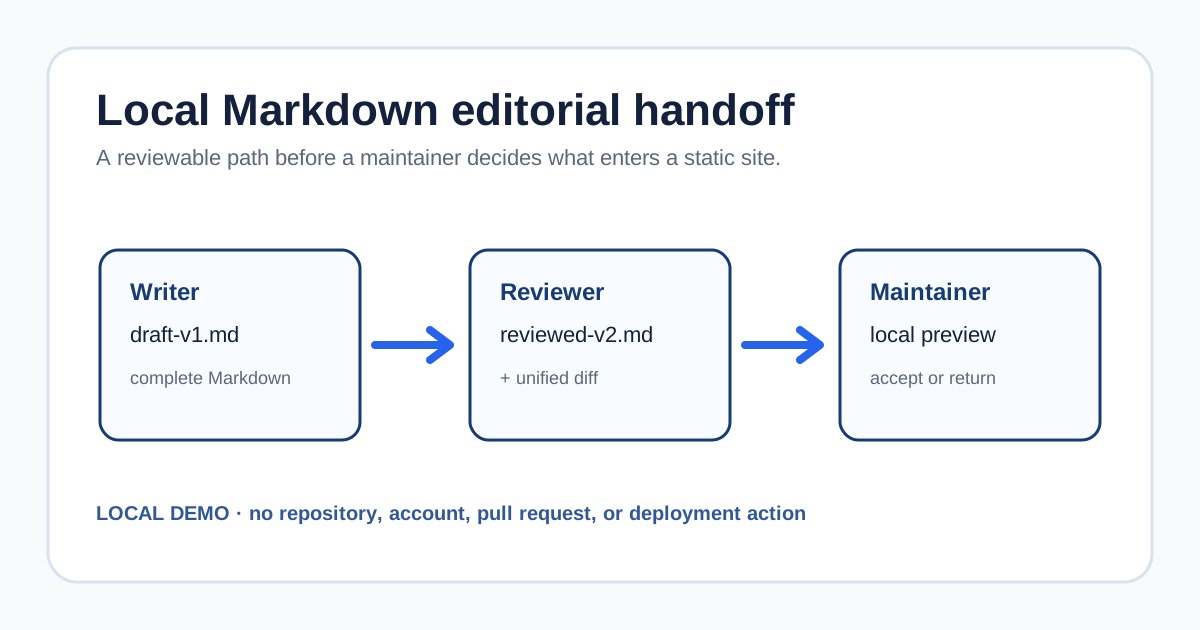
A friend is happy to write a release note for your static blog, but Git, branches, and site builds are unfamiliar territory. A useful first collaboration can use three reviewable files: an original Markdown draft, a reviewed Markdown draft, and the diff between them.
This article walks through that local handoff. Every sample file is original and non-sensitive, and both the diff and the preview are generated locally. Where the article mentions GitHub Pages, web editing, pull requests, or publishing sources, it describes what GitHub Docs says. It does not verify GitHub web editing, account permissions, pull requests, merges, or a Pages deployment.
Download the complete local handoff kit, or open the English read-only diff page. The archive contains the starting draft, reviewed draft, unified diff, handoff checklist, and the same read-only page.
Reduce the handoff to one Markdown file
The sample is a release note in a static blog. The writer only changes its body; they do not need to understand templates, navigation, or deployment settings. Before writing begins, the maintainer supplies three agreements: the target filename, the paragraphs that may change, and a short phrase that will identify the version.
The starting text in draft-v1.md is:
# A release note that needs one more condition

The maintenance guide says that a release check should happen before publishing.

## Draft instruction

Run the validation command before publishing.

Revision: draft-v1
The writer hands over the complete file, not a message saying that the edit is done. The full file keeps the heading, paragraphs, and revision marker together, so a reviewer knows exactly which version to compare. If a site uses front matter, filename rules, or an image directory, the maintainer should put those details in that site’s own template rather than asking the writer to infer them.
Turn a vague sentence into reviewable editorial work
The reviewer first checks that the draft still changes only the agreed scope, then writes the required condition back into the Markdown. This sample expands “run validation” into who acts, where they act, and which record they leave behind:
## Reviewed instruction

From the project root, run the validation command documented for this site. Record the result or the failing step in the handoff note, then give the editor this revised Markdown instead of changing a copied webpage.

Revision: reviewed-v2
The maintainer replaces validation command with the site’s real command. Trylog, for example, uses pnpm release:check to synchronize local content, check translations and assets, build pages, and verify HTML, RSS and the sitemap. Other generators should use the checks already defined in their own projects.
Save the review in reviewed-v2.md and keep draft-v1.md. Run this from the downloaded kit directory to regenerate the actual unified diff used here. diff returns 1 when it finds changes; that is expected. A value greater than 1 indicates a read or execution error.
diff -u --label draft-v1.md --label reviewed-v2.md draft-v1.md reviewed-v2.md > draft-to-reviewed.diff--- draft-v1.md
+++ reviewed-v2.md
@@ -2,8 +2,8 @@
The maintenance guide says that a release check should happen before publishing.
-## Draft instruction
+## Reviewed instruction
-Run the validation command before publishing.
+From the project root, run the validation command documented for this site. Record the result or the failing step in the handoff note, then give the editor this revised Markdown instead of changing a copied webpage.
-Revision: draft-v1
+Revision: reviewed-v2That diff changes review from “read the whole article again” to two answerable questions: did the writer change only the allowed paragraphs, and do the additions state a clear condition without exceeding the known facts? If the answer is no, the return object is still Markdown—not an already published web page.
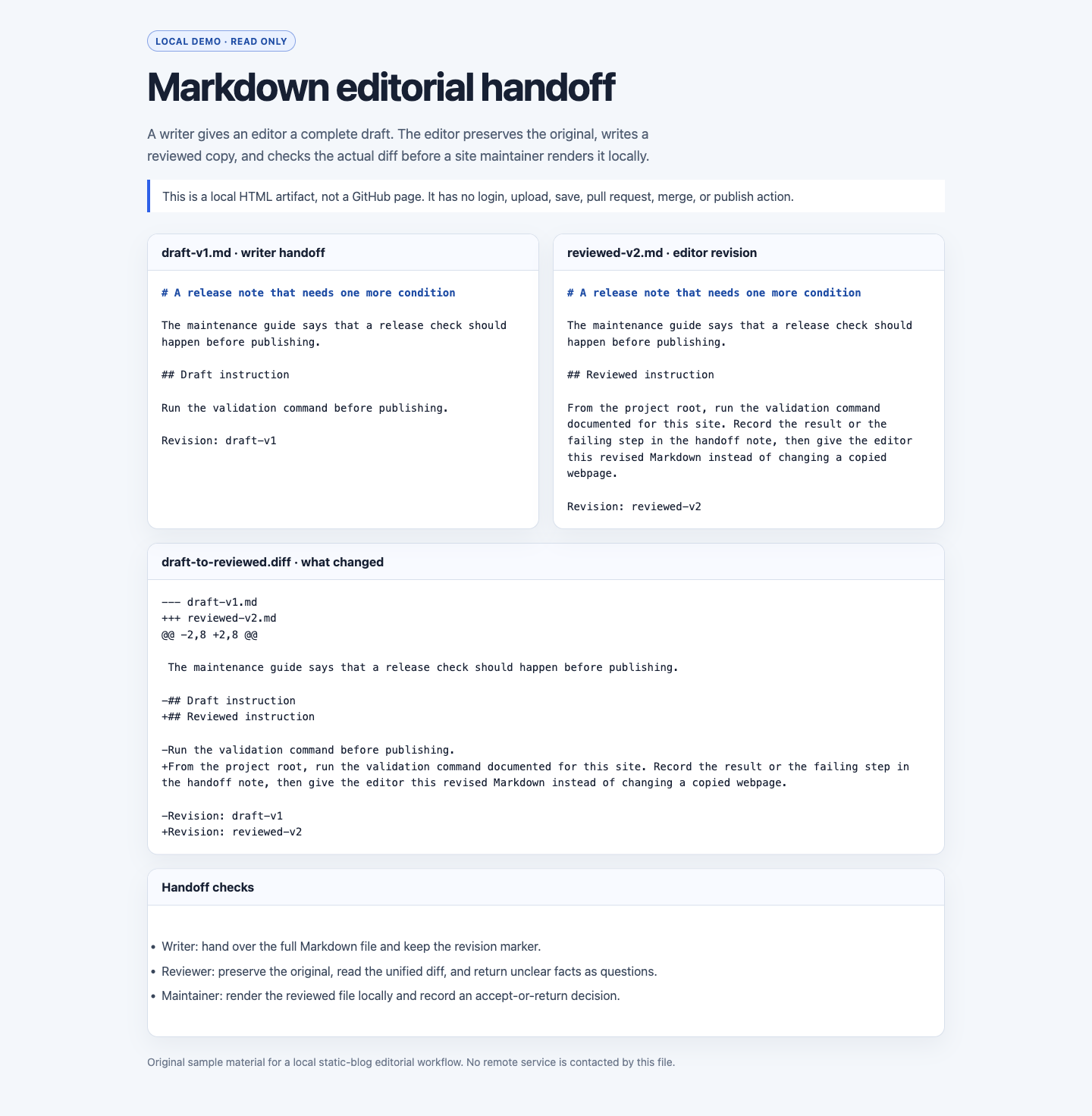
The English read-only preview puts both drafts next to their actual diff.
What each role hands to the next person
| Role | This round’s artifact | What the next person checks |
|---|---|---|
| Writer | draft-v1.md and the agreed editable scope | The file is complete, it contains no passwords or private material, and the revision marker remains |
| Reviewer | reviewed-v2.md, draft-to-reviewed.diff, and review notes | Every addition or deletion appears in the diff; conditions and facts stay next to the sentence they affect |
| Site maintainer | A local render, the site’s own check record, and an accept-or-return decision | Markdown renders in the actual generator and the accepted scope follows the site’s rules |
The important part of the split is that every role produces a reviewable intermediate artifact. A writer does not need publishing permission, and a reviewer does not change deployment settings for a maintainer. Once they receive the complete set of materials, the maintainer can decide whether to move the content into the site’s controlled workflow.
A local preview answers layout questions; a diff answers change questions
I rendered the two Markdown files and their unified diff into one read-only HTML page, then opened it through the local site. That makes heading levels, paragraphs, long-line wrapping, and the correspondence of the diff visible together. The local-review-demo.html file in the download kit can also open offline; it has no sign-in, upload, save, or publish controls.
After the local preview looks right, the maintainer still runs the check documented for their own site. Its input is the accepted Markdown, and its output is that site’s local build or check record. If the generator fails, an image path is broken, or a link violates a site rule, put the error in the handoff notes and return to the Markdown revision. Do not patch generated HTML directly: the next build would overwrite it.
This is also the recovery boundary. A local preview shows that a local page rendered in the current environment. It does not show that a remote repository received the file, and it does not show that an external host deployed it. Keeping those results separate tells you whether to return to the draft, the site’s local checks, or a separately authorized remote workflow.
What GitHub Docs can describe—and what this local demo cannot
For an existing site that actually uses GitHub Pages, the GitHub Pages introduction describes it as a static hosting service that takes HTML, CSS, and JavaScript from a GitHub repository, optionally runs a build process, and publishes a website. That distinction is useful because article source files, build output, and public pages are different stages.
The saved file-editing documentation describes editing an existing file in the web interface, adding a commit message, putting a change on a new branch, and creating a pull request. It also describes a fork-and-pull-request route for changes to another person’s repository. Those are documented platform paths. Whether an actual account may edit, how a protected branch requires review, and which directories are writable depend on the specific repository’s permissions and rules, and need separate checking in an authorized environment.
The saved reviewing-changes documentation lists comment, approve, and request-changes as review actions, and says a pull-request author cannot approve their own pull request. It helps a maintainer draw the responsibility boundary between writer and reviewer.
The saved publishing-source documentation distinguishes branch publishing from a GitHub Actions workflow and says configuring a publishing source requires admin or maintainer permission. Choosing a publishing source belongs to site maintenance; accepting a contribution does not require changing it.
A handoff checklist a team can use immediately
The kit’s handoff-checklist.md turns these into checkboxes:
- The writer copies the template supplied by the site, writes only inside the agreed Markdown region, and retains the revision marker.
- The reviewer keeps the original, produces
reviewed-v2.mdand a unified diff, and turns unclear facts into questions beside the draft instead of inventing conclusions. - The maintainer renders the reviewed draft locally and checks headings, paragraphs, links, images, and the site’s own content rules.
- Only if the site accepts the draft does the maintainer continue with that site’s authorized version-control and publication process. If the draft is returned, preserve both the material and the reason so the writer can continue from the previous step.
This route does not turn a static blog into a self-service publishing system for visitors. Accounts, private drafts, cross-device saving, and immediate publication require identity, authorization, persistent storage, and moderation decisions. For an edited Markdown contribution, making the draft, diff, preview, and decision explicit is enough to let a non-coder participate without quietly moving site-maintenance responsibility onto them.