Linux in a browser: editing a file with Micro
Edit, save and read back a file in the ARM64js Micro demo, observe a failed network request, and examine runtime requirements, snapshots and separate SDK and engine licenses.
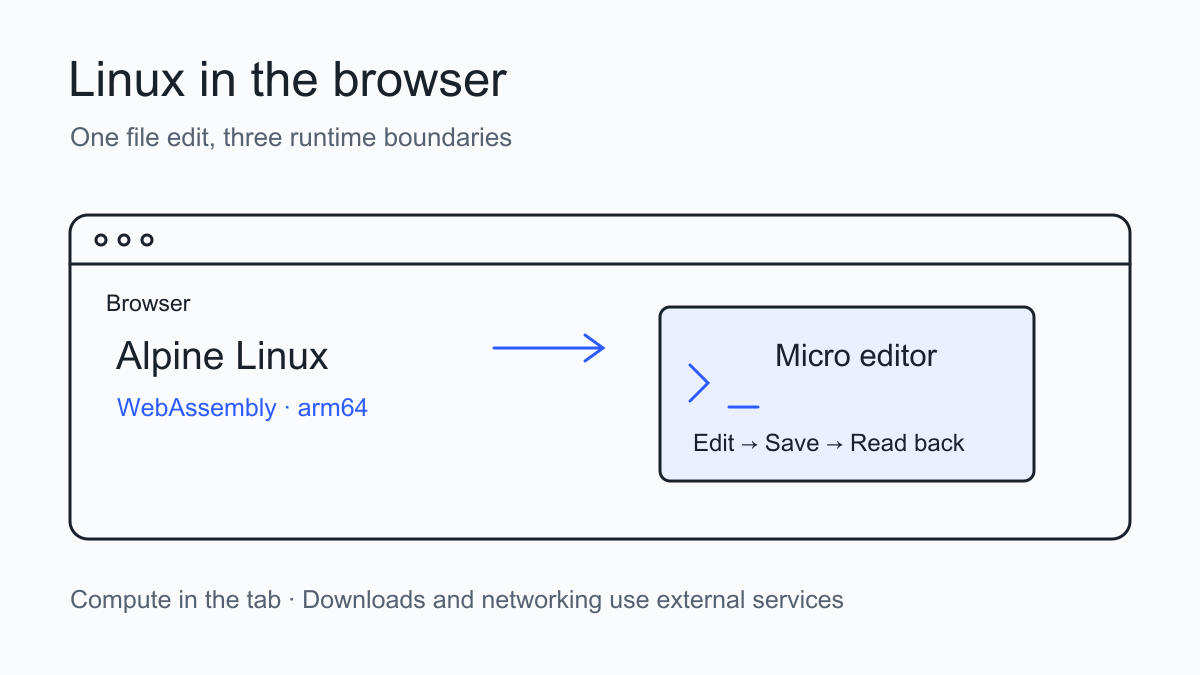
Open the ARM64js Micro demo, press LOAD VM, and a terminal editor runs inside the page. I added one comment to the sample server.js, saved it, read it back in the shell, and reopened the file. The edit survived. A separate wget request from the same VM returned a name-resolution error.
This small trial helps explain what Linux in a browser provides: a reader can try a preinstalled terminal program without first installing Linux locally. Integrating it into a product also requires examining where it runs, how networking works, how files survive, and which licenses apply.
Separate the engine, SDK and demo
ARM64js emulates an arm64 machine through WebAssembly and runs an adapted Alpine Linux environment. Its JavaScript SDK creates and controls VMs and handles files. Demoshell adds image building, hosted snapshots and launchable demo links. This trial used its prepared Micro environment.
The SDK repository inspected here reports package version 0.6.0. In the live demo, uname -m returned aarch64, Alpine reported 3.23.5, and Micro reported 2.0.14-16. The SDK source version and the online demo’s engine version are separate identifiers; the former does not establish the latter.
The recorded browser was Chrome 152. The page had crossOriginIsolated set to true and exposed SharedArrayBuffer. Its response included Cross-Origin-Opener-Policy: same-origin and Cross-Origin-Embedder-Policy: require-corp. These match the conditions described in the SDK documentation. This trial did not cover Firefox, Safari or a physical phone.
Edit, save and verify from the shell
Click the terminal first so that keystrokes reach Micro. My input was only this synthetic comment; I supplied no personal project, credentials or files:
// Trylog local editThe sequence was:
-
Insert the comment and a newline at the start of the file.
-
Press Ctrl+S and wait for
Saved server.jsat the bottom. -
Press Ctrl+Q and wait for the shell prompt.
-
Run
head -n 2 server.jsto check the saved file.
The readback was:
// Trylog local edit
const http = require("http");
Running micro server.js then reopened the file with the comment intact. The save message, shell readback and reopened editor together establish that this edit reached the current VM’s filesystem.
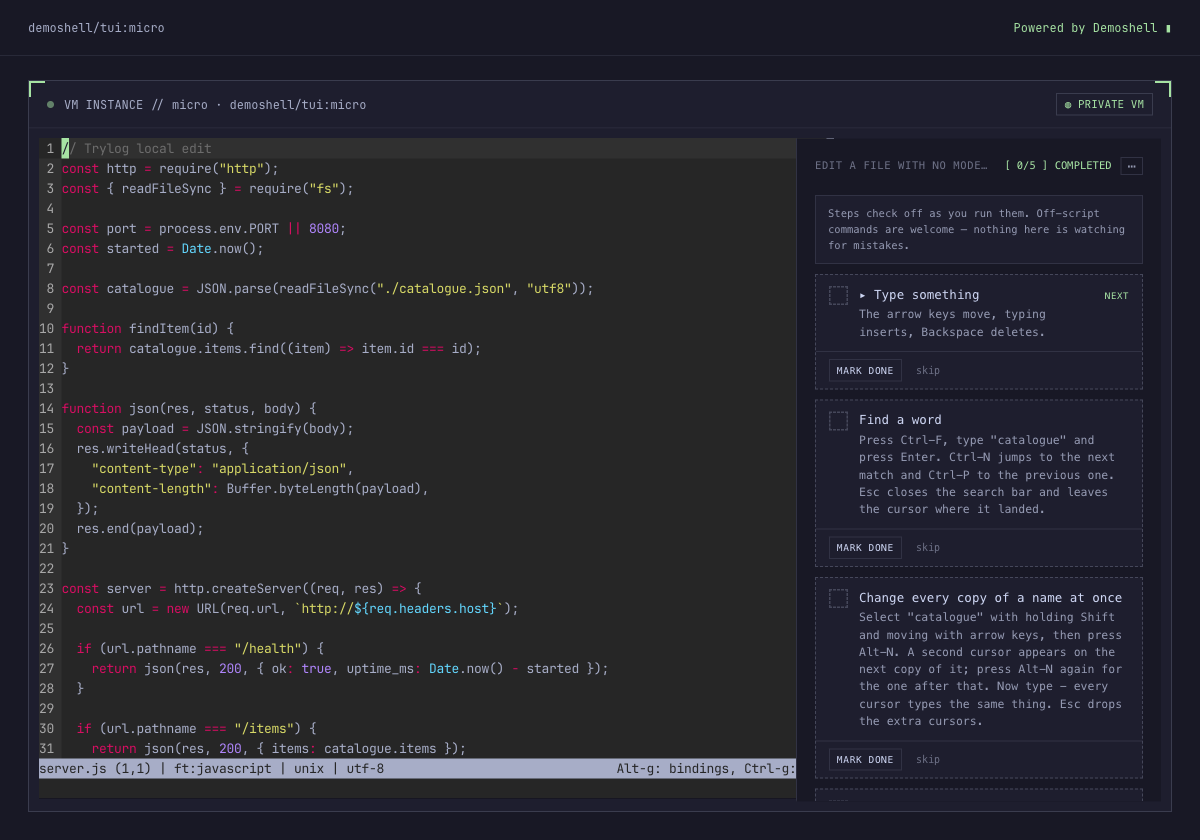
Micro after reopening the file. The first-line comment is the edit made during this trial.
In one attempt, commands were sent immediately after exiting the editor. The screenshot showed only an empty shell prompt, so execution was unconfirmed. Waiting for the prompt before entering commands produced readable results. With a web terminal, check focus and the active program before interpreting a dispatched key event as a completed action.
The guide at the right still displays 0/5. Its instructions ask users to mark steps themselves; it is not an automatic assessment of the file. The evidence here is the terminal output.
Networking depends on the channel
I did not sign in to Demoshell or enable a general TCP relay. In the guest shell I ran:
timeout 6 wget -S -O /tmp/trylog-example.html https://example.comThe actual response was:
wget: bad address 'example.com'This is a name-resolution failure in this session, before receiving an HTTP response from the destination. It does not establish that every deployment mode lacks networking.
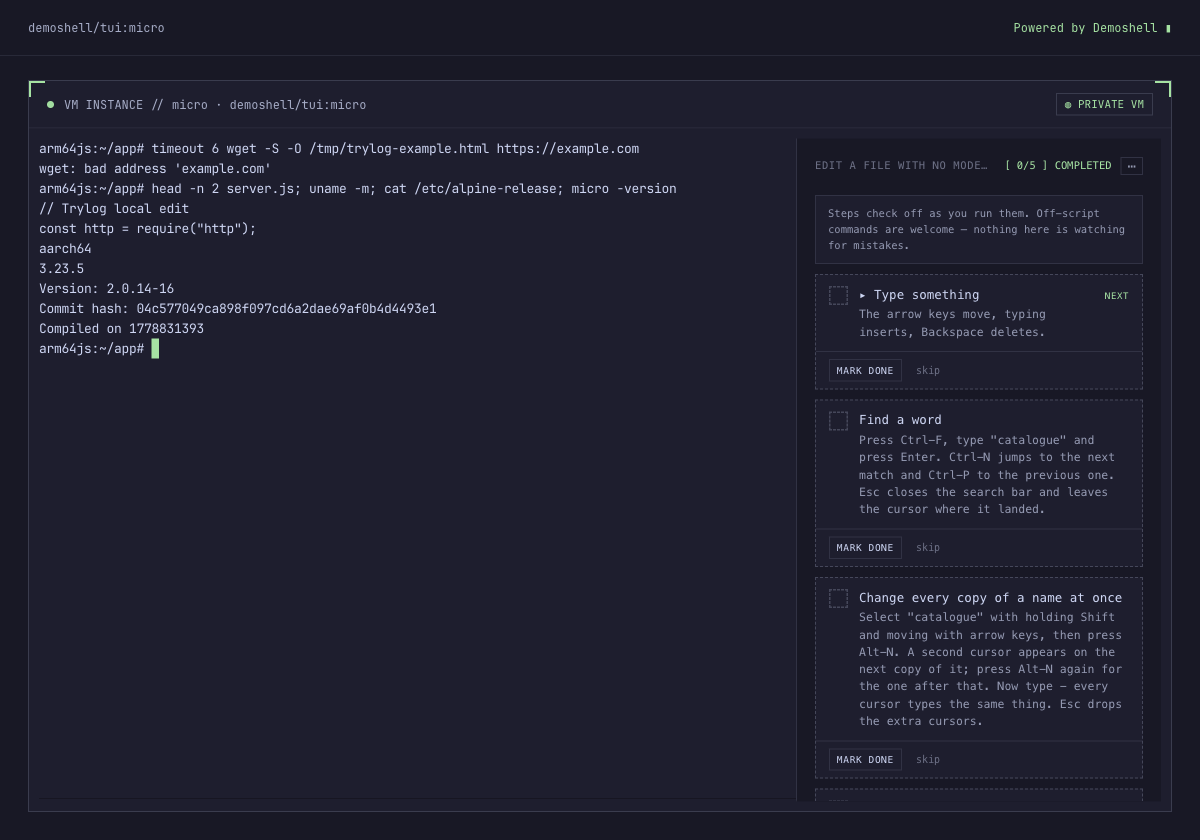
The failed external request, file readback and runtime versions from the same session.
The official explanation describes two networking paths. Alpine packages pass through the apk.arm64js.com proxy to accommodate browser CORS restrictions. General TCP connections require an external relay and a Demoshell account. The emulated network device passes data through a WebSocket; the relay opens the real connection. The SDK 0.6.0 README describes default access to the apk registry without general internet access.
Computing in a tab and operating without external dependencies are separate properties. Initial loading downloads the engine and image, while enabled relay networking also uses an external service. The vendor says HTTPS TLS terminates between the guest and destination. That is its architecture description, not an independent traffic or relay audit performed here.
A current file is different from a recoverable snapshot
The readback proves that the file was saved in the current guest. Recovery after a page refresh or browser restart depends on whether the application creates and reloads a snapshot.
According to the SDK README, vm.snapshot() stores a snapshot in the browser’s OPFS, and a later boot can use its ID. Files copied with writeFile become part of the snapshot. Read-only files exposed through mount do not, and must be mounted again after recovery. Snapshot restoration was not exercised in this trial, so the save result does not establish persistence across sessions.
For a teaching demo, preinstall an editor, supply synthetic files and define completion as reading back a particular saved line. If visitors need to retain their work, add an export or snapshot-recovery path and test behavior when browser storage is unavailable.
Check the licenses for both layers
The SDK’s LICENSE is MIT. The official site lists PolyForm Strict 1.0.0 for emulator builds, including WASM and supporting JavaScript, and asks commercial users to contact the vendor. The SDK’s MIT license alone does not establish permission to host, modify or redistribute the engine.
This trial used the public demo directly. It did not copy the emulator into Trylog or deploy a self-hosted runtime. A paid product integration or public distribution needs a review of the full terms for the actual components involved.
The verified capability is narrow and useful: edit a synthetic file in the browser, save it and read it back. That supports an interactive terminal exercise or a small tool demonstration. Continuous networking, durable storage, heavy computation and commercial embedding each need evidence and license checks for their intended operating mode.
Find more input-and-result records in Tool reviews.