Build a single-canvas WebGL hover index with accessible fallbacks
A downloadable original example connects DOM input, spring position, palette and seed, and text crossfade, with tested keyboard, simulated touch, reduced motion and WebGL fallbacks.
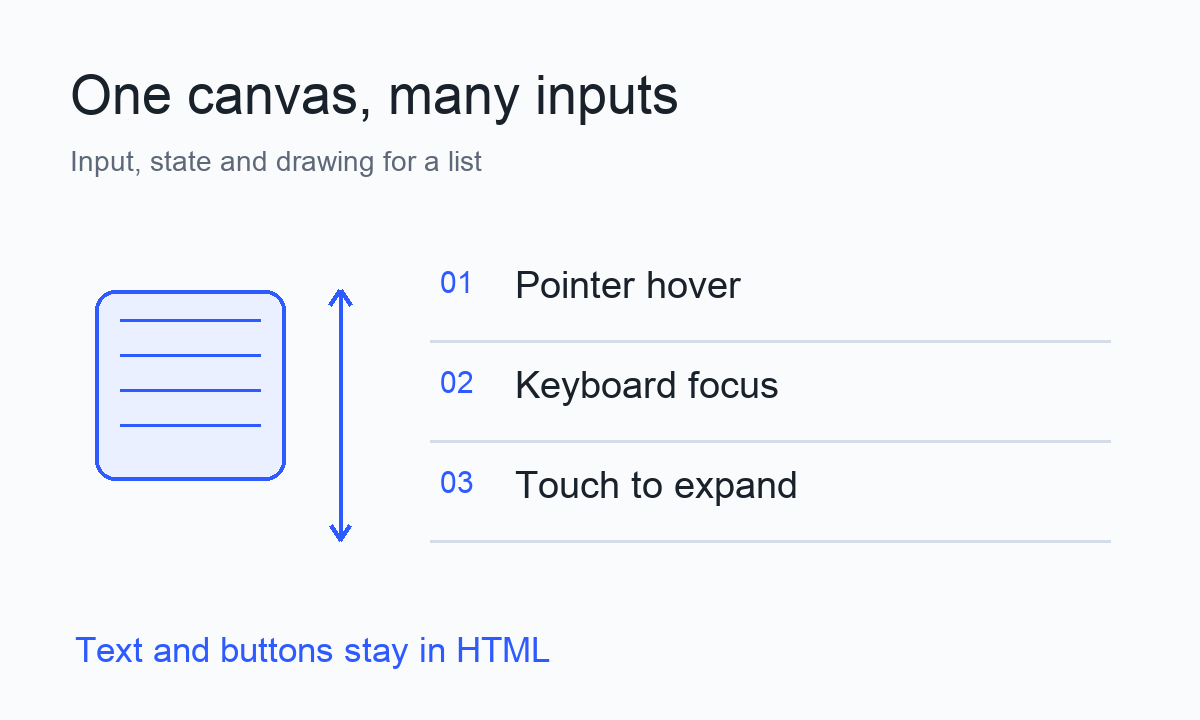
Move a pointer across a project list and a small textured block follows the selected row, changing color as it travels. A hover index like this is easy to build as a mouse demo. Adding keyboards, phones and a failed WebGL context raises the more useful questions: what selects a row, what opens its notes, and what actually needs the GPU?
This article builds an original downloadable example. Four HTML buttons control a list, while one WebGL canvas draws its decorative texture. Hover or focus changes selection; a click, Enter, Space or a tap opens the notes. It uses plain HTML, CSS and JavaScript, with no build step, third-party scripts or data uploads.
Download the original example and run instructions. Extract it, enter the one-canvas-example folder, and run:
python3 -m http.server 8774 --bind 127.0.0.1Open http://127.0.0.1:8774/ in a browser. Press Ctrl+C to stop the server. The archive includes index.html, style.css, app.js, an English README and an MIT license. The screenshots below come from a copy extracted into a separate fresh directory and run there.
Start with the author’s mechanism
The inspiration is a Hover Index post on r/webdev. Moderators have removed the post body. Comments by its author, u/Ashishgogula, remain readable: the component keeps one canvas, hover supplies a new target palette to the shader, the palette moves roughly 8% closer per frame, and a separate spring moves the block to the row. The author also describes pausing in hidden tabs and rebuilding GPU resources after context restoration.
Those are the author’s descriptions of their component. The buttons, texture, colors, touch accordion, text crossfade and reduced-motion behavior here are independently written Trylog designs. The example uses original code and graphics; no paid Planes source or assets were bought or copied. After context loss, this minimal version keeps its HTML controls and restores the decoration on reload. It does not implement the author’s automatic recovery sequence.
Make the list work before adding a canvas
An ol with li elements expresses the list order. Each row has a native button in its heading and a separate p for its notes. aria-controls connects a button to its paragraph. Only after JavaScript starts does it set aria-expanded and manage hidden. The canvas has aria-hidden="true" and pointer-events: none, so names, focus and hit areas remain in the DOM.
Two states serve different purposes. active is the row the decoration follows; open is the row with expanded notes. Hover and focus call select(index). The button’s click also updates open. A reader can Tab through headings or move a pointer to another row while one note stays open; hovering does not close the note.
Click the same row to collapse it, or another row to close the previous note and open the next one. This is a single-open accordion. Native buttons provide browser click behavior for Enter and Space, avoiding a separate keyboard-to-click handler. Touch follows the same click path. The pointerenter handler filters pointerType === 'touch', so a touch pointer entering a row is not a prerequisite for opening it.
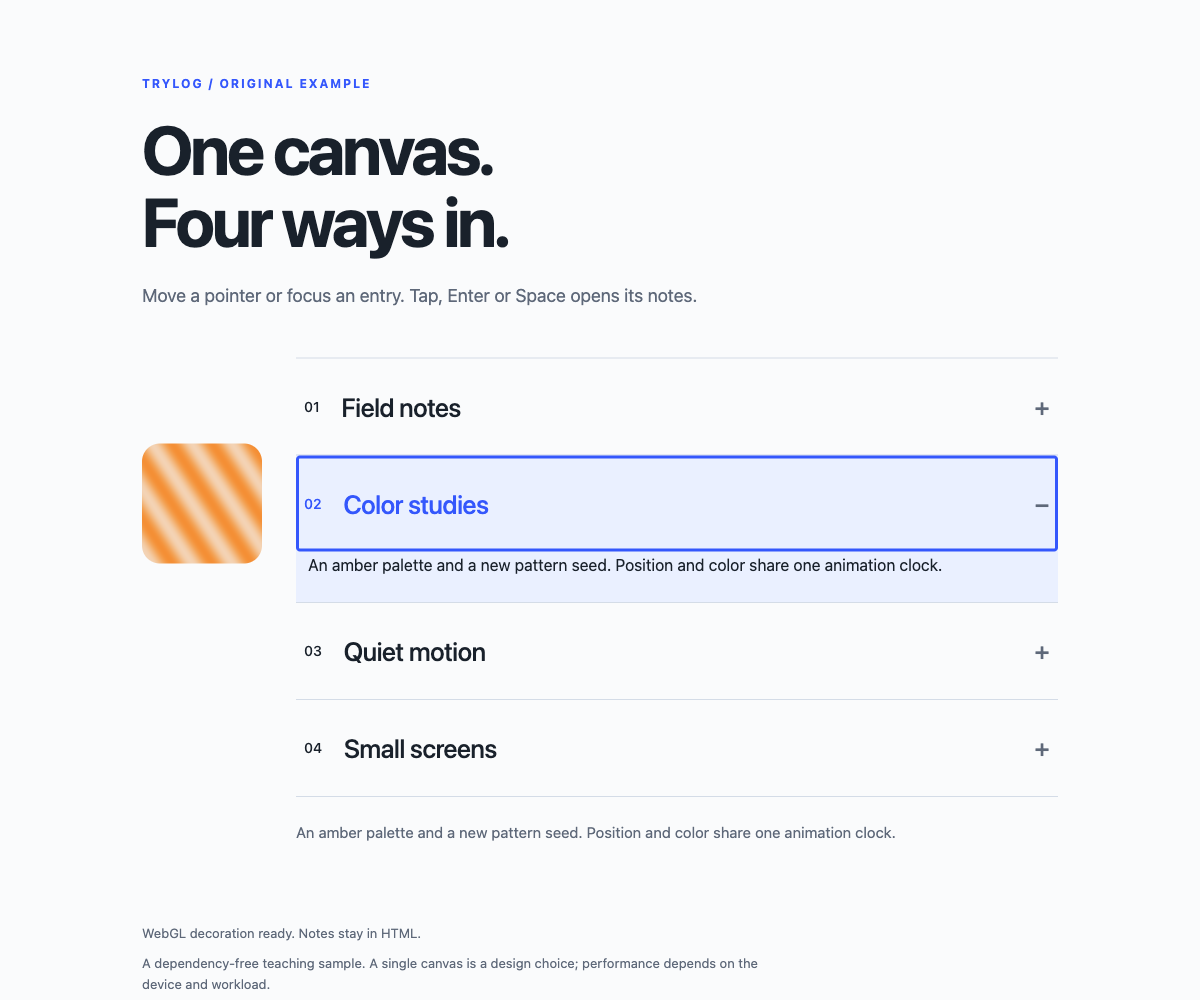
The second note, focus outline and decoration remain visible after keyboard activation.
Pass input to state, then state to drawing
When selection changes, update the row’s CSS class and preview text, then measure the target position. getBoundingClientRect() returns viewport coordinates. Subtract the list’s top from the button’s top to obtain an offset inside the list. Half the difference between the button and canvas heights centers the block beside the button. In this snippet, button and rect are measured rectangles:
target = button.top - rect.top
       + (button.height - canvas.clientHeight) / 2;
Expanded notes push later rows downward, and narrow layouts change button and canvas sizes. Accordion clicks, window resizing and ResizeObserver all trigger another measurement. The target comes from the actual layout, without assuming fixed spacing forever. The canvas is absolutely positioned in CSS and moves through translateY(), so following a row does not push the list around.
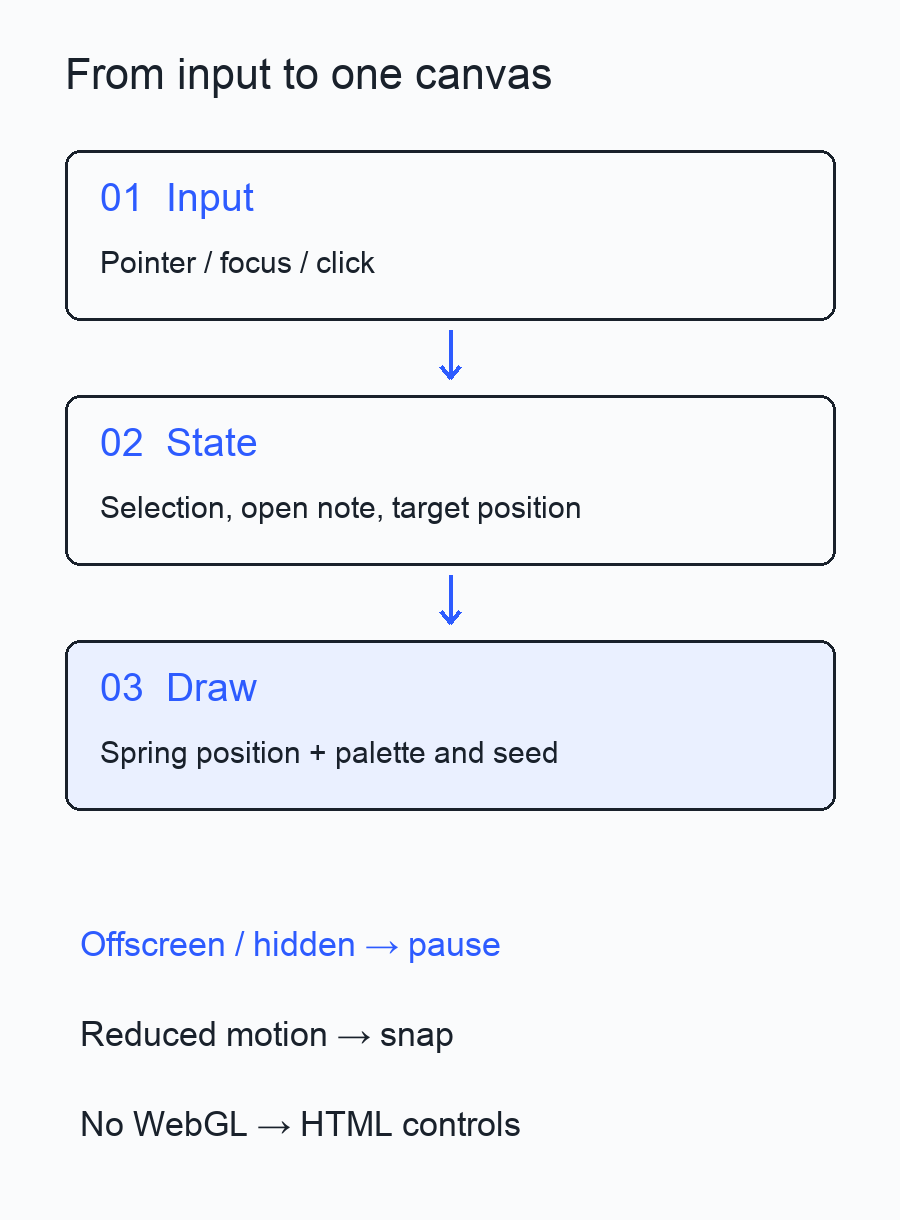
Input, state and drawing have separate jobs. Pause and fallback conditions affect drawing.
Each frame applies two kinds of convergence. Position keeps a current coordinate y and a velocity, moving toward target:
velocity += (180 * (target - y) - 24 * velocity) * h;
y += velocity * h;
180 controls the pull toward the target; 24 damps velocity. They are visual parameters for this example. Assigning the target directly would jump there. Keeping velocity lets a new target continue from the current movement. The frame interval is capped at 1/30 second and divided into four integration steps, limiting the size of a step after a slow frame. Pausing clears the previous timestamp, so resuming starts with a fresh small step.
Palette and seed need no velocity. They use exponential easing:
const gain = 1 - Math.exp(-12 * dt);
palette += (active - palette) * gain;
seed += (active + 1 - seed) * gain;
The author’s “roughly 8% per frame” explanation is intuitive, but a fixed fraction per frame changes speed when frames per second change. Here the fraction depends on dt, bringing progress over equivalent time intervals closer together. Scheduling and numerical differences still affect how it looks on a device.
Change color and texture within one canvas
WebGL initialization compiles vertex and fragment shaders and uploads two triangles that cover the canvas. Each frame updates the viewport and uniforms, then makes one drawArrays call. CSS sets the display size; the backing pixel dimensions multiply that size by the device pixel ratio. This example caps that ratio at 2 to bound the decorative pixel workload on high-density screens.
palette is a continuous palette index. A value of 1.4, for example, sits between the second and third color sets. The shader receives the two colors and a blend fraction of 0.4. seed is continuous too: it shifts the phase of the sinusoidal texture rather than generating a random number every frame. Redrawing the same state produces the same pattern.
Jumping directly from the first row to the fourth passes through the intermediate palettes in this teaching version. A continuous index makes interpolation easy to explain. To blend directly between any pair of rows, capture the current color on selection and interpolate toward the new target color. That adds state management; it does not require more canvases.
The description preview uses two HTML paragraphs in layers. One holds the old text, the other the new text, and their opacities crossfade over 180 milliseconds. The whole preview is aria-hidden; readable notes remain in the paragraphs connected to the buttons. This avoids reading duplicate fading text. The preview describes selection, while open continues to determine which note is expanded.
Less motion, and behavior when rendering fails
With prefers-reduced-motion: reduce, position snaps to the target, velocity becomes zero, palette and seed switch immediately, and CSS removes the preview transition. Reduced motion covers position, texture and text together. Controls and notes remain available.
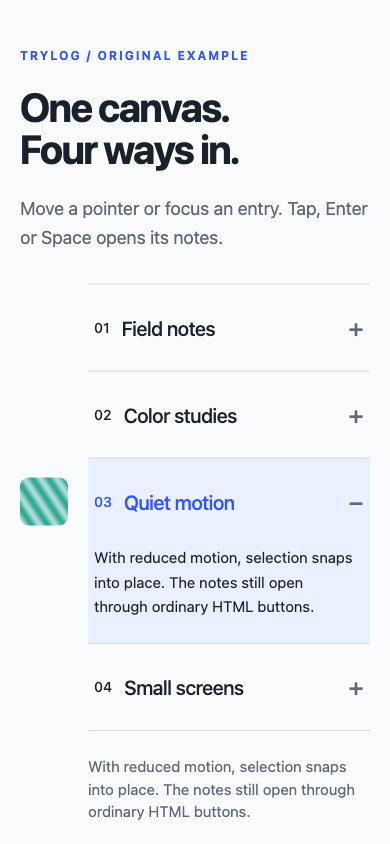
Browser touch emulation opens the third note in a 390-pixel viewport.
If canvas context creation, shader compilation or program linking fails, the code shows an HTML-mode message and hides the canvas. A webglcontextlost event also cancels the animation frame and enters that fallback. Calling preventDefault() leaves the browser able to restore the context, but this example’s application stays in HTML mode until a reload rebuilds its WebGL resources.
Without JavaScript, initialization has not hidden any paragraphs. All four notes remain readable and the buttons stay disabled. When adapting this into a real project directory, put project links in the notes so static HTML retains useful destinations.
What the extracted example did
The extracted archive ran in Ego’s Chromium 152, with a 1200-pixel desktop viewport, a 390-pixel touch-emulated viewport, and light and dark themes. Tab focused buttons; Enter opened the first note; Tab followed by Space opened the second and closed the old note. Repeated simulated taps opened and closed the third note, with no horizontal overflow. Under reduced motion, current and target position matched, palette and seed reached their targets, and the text transition was 0s.
Before loading, WebGL unavailability was simulated by making getContext('webgl') return null. JavaScript was also disabled for a separate reload. The first case preserved button expansion; the second preserved all four static notes. Triggering real context loss with WEBGL_lose_context stopped drawing while HTML notes still opened. Reloading restored the WebGL decoration.
Two conditions govern pausing: IntersectionObserver checks whether the whole list intersects the viewport, and visibilitychange checks document.hidden. Scrolling the list out of view during a transition left its draw counter unchanged for the next 350 milliseconds; scrolling back resumed updates. The hidden-tab condition is implemented in code. Switching pages in the shared test browser did not produce a real document.hidden state, so that branch’s runtime behavior remains unverified here.
The example also stops requesting frames once position, velocity, palette and seed settle. Call hoverIndexDiagnostics() in the developer console to inspect local state and the cumulative draw count. A paused draw path shows that it stopped submitting frames. This test did not compare a multi-canvas version or measure GPU time, battery use or whole-page performance; screen readers and physical phones were outside the test.
Use the sample to learn how list operations connect to graphical decoration. When integrating it into a real project, preserve HTML reading and operation first, then choose texture, recovery behavior and animation parameters for your actual devices.
Interface references: MDN: WebGLRenderingContext, prefers-reduced-motion, Intersection Observer, Page Visibility, and webglcontextlost.