Tax software comparison: CSV workflows in UsTaxes and OpenTaxSolver
A hands-on comparison using synthetic stock trades: transaction matching, a $200 gain, CSV/JSON/PDF outputs, and the import errors that change the workflow.
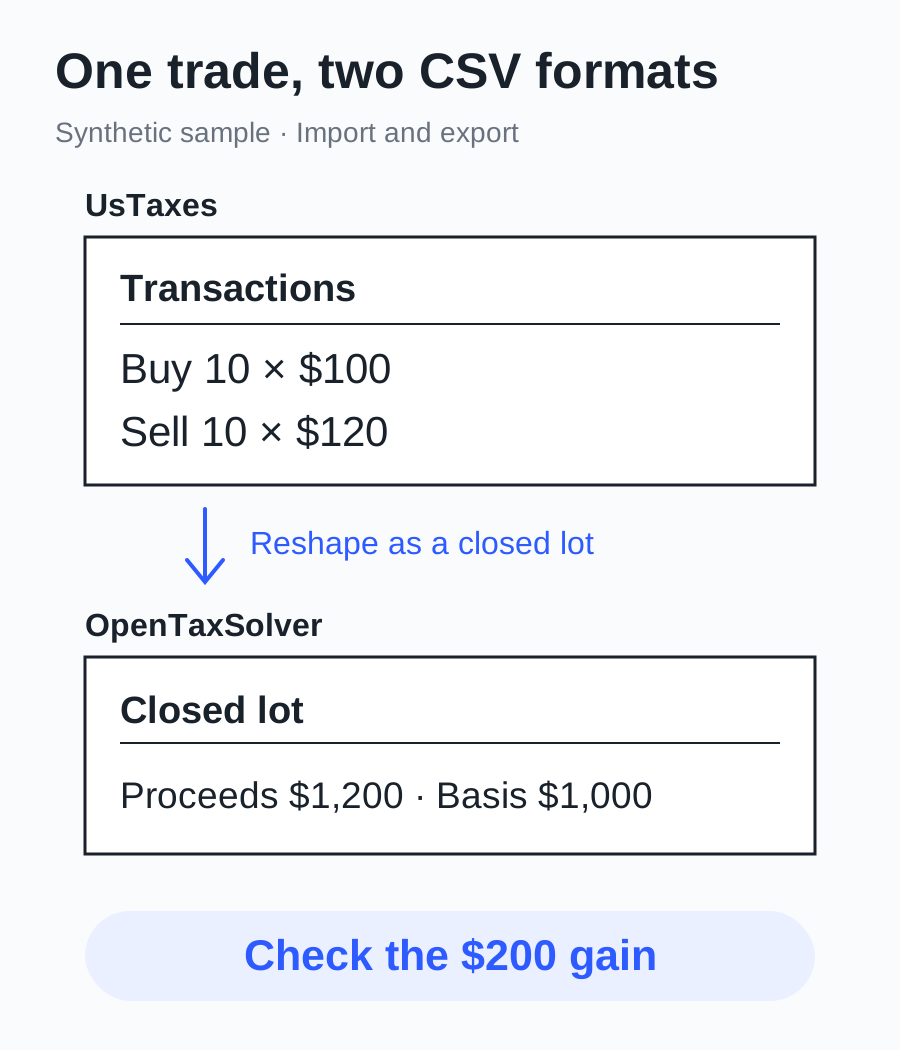
Whether a stock-trading CSV can go straight into tax software depends on what each row means. I tested two free tools, UsTaxes and OpenTaxSolver, with synthetic transactions: buy 10 shares at $100, then sell all 10 at $120, with zero fees. Both workflows produced a $1,000 basis, $1,200 proceeds, and a $200 short-term gain. They needed different input files.
UsTaxes accepts separate buy and sell rows and builds a portfolio. OpenTaxSolver’s Form 8949 importer accepts a matched sale with acquisition date, sale date, proceeds, and cost already supplied. That distinction is more useful for choosing a workflow than a generic “CSV supported” label.
I used the tax-year 2025 interface on the public UsTaxes website and OpenTaxSolver’s tax-year 2025, version 23.07 MacM package. The package’s US 1040 module announces v23.06 at startup. This test covers imports, checks, and local exports using entirely synthetic data, with no return filed. The UsTaxes route reached asset CSV export, JSON backup, and reload; the OpenTaxSolver route reached a calculation report and PDF.
Prepare two CSVs with different meanings
The transaction file, trades.csv, retains the actions, unit prices, and quantities:
asset,date,side,price,quantity,fee
DEMO-STOCK,2025-01-02,buy,100,10,0
DEMO-STOCK,2025-03-03,sell,120,10,0
There are no partial sales, repeated purchases, fees, or adjustments. The arithmetic is simple: basis 10 × 100 = 1000, proceeds 10 × 120 = 1200, and gain 1200 − 1000 = 200. The holding period runs from January 2 to March 3.
For OpenTaxSolver, closed-lot.csv combines those transactions into one sale:
Description,Date_Acquired,Date_Sold,Proceeds,Cost,Code,Adjustment
10 DEMO-STOCK,1/2/2025,3/3/2025,1200,1000,,
This conversion only matches the single purchase to the single sale. Multiple acquisition lots, partial sales, and wash-sale adjustments need additional lot evidence and were outside this sample. The format follows example_f8949_spreadsheet.csv and the blank US 1040 template in the package available from the official current-year download page.
Download the transaction CSV · Download the matched-sale CSV
UsTaxes: map columns, then check the portfolio
On UsTaxes, choose Start Return in Browser, check that the year at the top is 2025, and open Income → Other investments. Load CSV File on this page accepts the transaction file without requiring the personal-information form to be completed first.
After loading trades.csv, the header does not automatically become tax fields. Map the six columns, in order, to Asset Name, Transaction date, Buy or Sell, Price per unit, Quantity, and Fee / commissions. Set Drop first n rows to 1 to skip the header. The interface lists required fields that still need assignments.
Build Portfolio produces the matched portfolio for inspection. Add Sales and Assets then adds it to the asset list. After that, Summary of sales in 2025 shows short-term basis of $1,000, proceeds of $1,200, and a $200 gain. The buttons represent two stages: inspect the matching, then save the result into the current data.
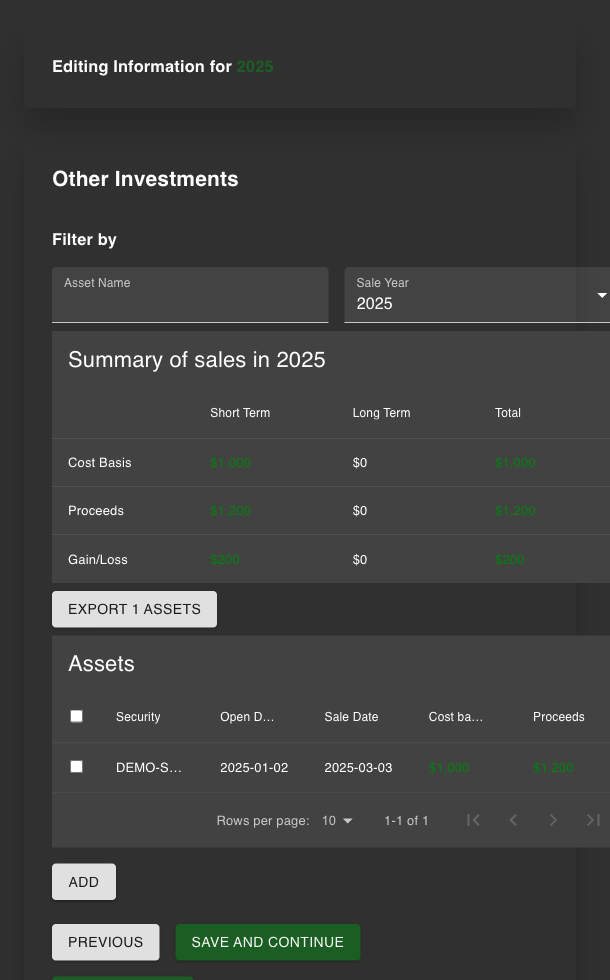
Each sales-summary value matches the synthetic sample.
The two exports preserve different information
Export 1 Assets produced a CSV containing fields including Security, Quantity, Open Date, Open Price, Cost basis, Close Date, Proceeds, and Gain / Loss. The sample contains 10 shares and the values 1000, 1200, and 200. This is useful for further spreadsheet checks.
User Settings → Save data to file produced a JSON backup. The actual file retains acquisition and sale dates, unit prices, quantity, fees, and tax-year state. Personal-information and wage records are empty in this sample. I reloaded it using Load on the same settings page and returned to Other investments: the summary still showed $200. The interface warns that loading overwrites current data, so save current work before restoring a backup.
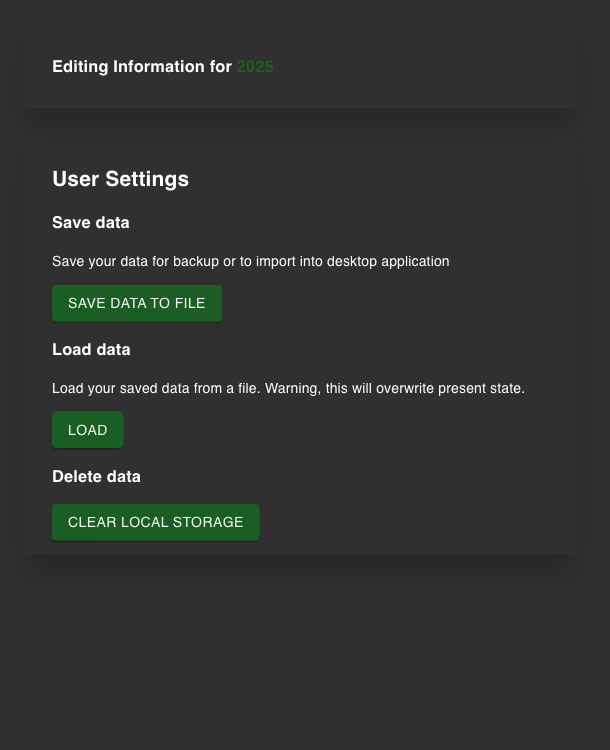
The asset CSV exposes sale records; the JSON restores application data.
Inspect the actual asset CSV · Inspect the synthetic JSON backup
The exports also reveal the work needed to move data between products. UsTaxes’ asset CSV has different column names and ordering from OpenTaxSolver’s seven-column input. I rearranged the single sale into closed-lot.csv above; arbitrary backup-to-backup migration was not tested.
OpenTaxSolver: connect a text template to the sale CSV
OpenTaxSolver’s local command-line module reads a US 1040 text template. I left identity fields blank, used Status Single, wages L1a 50000 ;, and federal withholding L25a 6000 ;, and supplied closed-lot.csv after f8949_spreadsheet-A/D:. The template uses A/D for the basis-reported-to-IRS category, which is an explicit assumption in this synthetic test.
Put the text input and CSV in the same working directory and run the package’s program from that directory:
# OTS_DIR points to the extracted software directory
"$OTS_DIR/bin/taxsolve_US_1040_2025" ots-input.txt
The program writes ots-input_out.txt. Its Form 8949 table contains 1200 proceeds, 1000 basis, and a 200 gain; Schedule D line D7 and Form 1040 line L7a also contain 200. With wages included, the report shows adjusted gross income of 50,200, a 15,750 standard deduction, and taxable income of 34,450. It calculates 3,899 tax and a 2,101 overpayment. These are this program’s results for the supplied input. The UsTaxes route did not include completed identity and wage forms, so final tax amounts were not cross-validated.
The package also supplies a PDF generator. Following the argument order documented in its source, use the same report and the package’s form data:
"$OTS_DIR/bin/universal_pdf_file_modifier" \
  "$OTS_DIR/src/formdata/f1040_meta.dat" \
  ots-input_out.txt \
  "$OTS_DIR/src/formdata/f1040_pdf.dat"
This produced a 14-page new.pdf, including schedules the program displays for information. I reopened the PDF and inspected Form 8949 on page 14: the synthetic description, dates, 1200, 1000, and 200 appear in their respective columns, with identity fields blank. The calculation run also printed UNEXPECTED LABEL 'Round_PDF_to_Whole_Dollars' for a field at the end of the supplied blank template. The original report is retained for inspection.
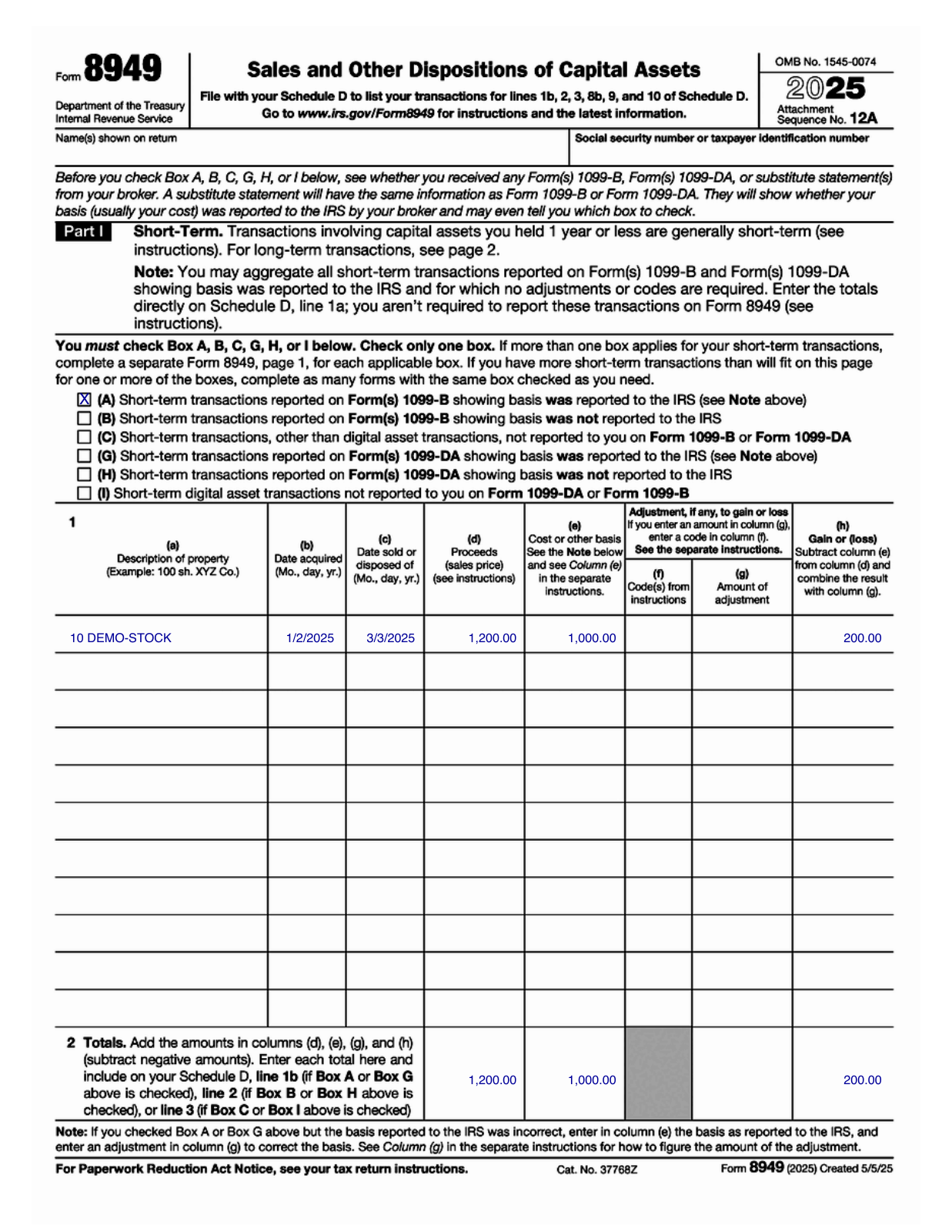
Form 8949 from the actual exported PDF; the sample contains no identity information. Open the full-size image to zoom in on its columns.
Download the synthetic text input · Inspect the actual text report · Download the generated PDF
Where bad inputs stop the workflow
I retained the inputs or logs for a missing purchase, a nonnumeric quantity, an incorrect header, and nonnumeric proceeds.
| Input problem | Observed behavior | What to check |
|---|---|---|
| UsTaxes receives only the sale row | Transaction List Import Failed; selling exceeds holdings, with advice to add earlier buys or check unsupported short sales | Recover the acquisition history from the source |
UsTaxes quantity is oops | Could not parse quantity value (oops) as number | Correct quantity, then rebuild |
| OTS receives the transaction CSV instead of the sale CSV | Reports an unexpected header, but exits with code 0 and still writes a report | Search for ERROR, then check 8949 rows and D7 |
| OTS runs from a different directory and cannot find the relative CSV path | Reports that it cannot read the file, still exits with code 0; the report lacks the 200 gain | Use the correct working directory or an accurate path |
OTS Proceeds is oops | Reports Bad float and exits with code 1 | Check the proceeds column’s numeric value |
The two OTS failures with exit code 0 are easy to overlook in a batch job. Both successful and failed runs can leave a report file. Check together that the CSV was read, 8949 includes the expected sale, and D7 contains the expected sample gain.
Choose by the records you have and the output you need
| Task | More direct route in this test | Further checks |
|---|---|---|
| Start with chronological buy and sell transactions | UsTaxes column mapping, portfolio building, and asset CSV export | Multiple lots, fees, wash sales, and missing history were untested |
| Start with matched sales and basis evidence | OTS 8949 CSV plus US 1040 template | Categories, adjustments, and applicability to actual records |
| Back up and resume editing in UsTaxes | Save JSON and restore with Load | Save current work before replacing state |
| Produce a local calculation report and PDF | OTS calculation module and PDF generator | Values on each form, omitted fields, and print appearance |
The UsTaxes project documentation describes browser calculations and local storage. This test checked importing, exporting, and reloading; it was not a full network or privacy audit. State returns, complex investment rules, electronic filing, payments, and commercial products’ import capabilities were not tested.
For these records, start with the file’s meaning: two buy/sell rows need matching; an already matched sale can go into 8949. Then check dates, basis, proceeds, and gain in the exported files. That turns “supports imports” into a workflow with visible checkpoints. More digital-tool tests are in the tool reviews category.