The API returns 200, but its fields changed: compare JSON response shapes
Compare complete synthetic JSON responses for added paths, removed fields and type changes. Explore arrays and null, then export a local shape-diff report.
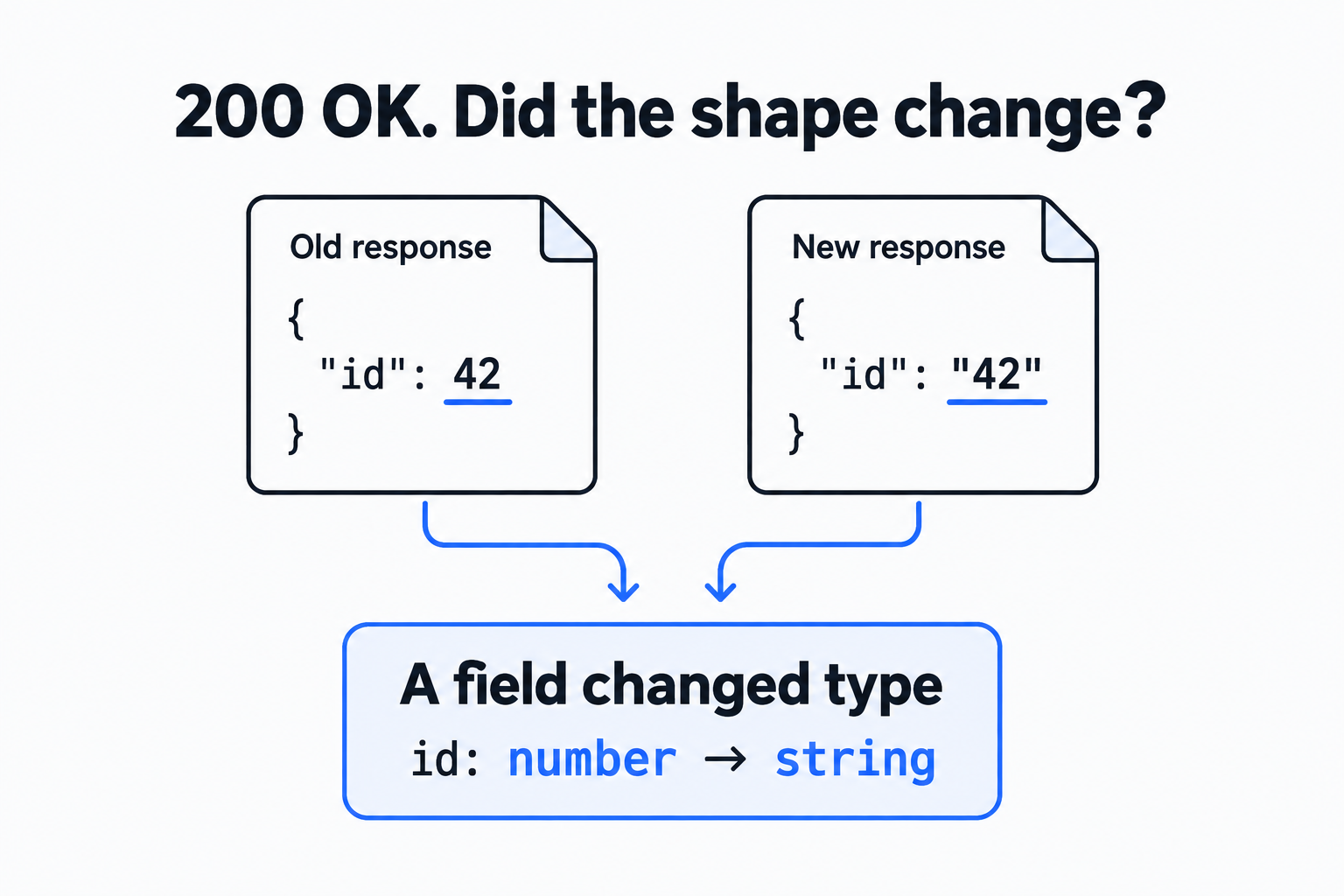
Suppose an order page expects items[0].quantity to be a number. After an API update, that field arrives as a string. The request still returns 200 OK, and the body parses as valid JSON, but addition, validation and display logic may behave differently. A status check misses the change. A full text diff can bury it under changing request IDs, timestamps and business values.
The API response shape diff tool takes an old and a new JSON document, extracts the types observed at each path, and reports added paths, removed paths and changed type sets. Paste text or load local files; inputs and reports stay in the browser. This guide follows one complete synthetic example from input to a downloadable result.
Separate a successful request from the structure your code expects
The starting point was an r/webdev post introducing API Drift Watch. Its author describes a customer discovering a broken SMS flow while monitoring remained green. The project README describes scheduled requests, response-shape extraction, comparison with a repository baseline and updates to an alert issue. These are the author’s story and feature claims. The reproducible exercise here uses the synthetic JSON below.
The README’s Action example still contains the placeholder uses: <owner>/api-drift-watch@v1. We did not run that workflow or call Twilio or SendGrid. The local tool isolates one useful step: given two responses, which paths and types changed?
Status, structure and business meaning answer different questions. A 200 status means the server treated this request as successful. Whether quantity is still a number concerns the response structure. Whether a quantity of -1 is acceptable depends on the business contract. Shape comparison helps with the second layer; the consuming code still needs validation and tests for the third.
Load a complete old and new response
Open the tool and load its sample. The old response is:
{
  "request_id": "sample-100",
  "customer": {"id": "cus_42", "email": "mina@example.test"},
  "items": [{"sku": "starter", "quantity": 1}],
  "legacy_flag": true,
  "metadata": {"source": "sample-old"}
}
The new response is:
{
  "request_id": "sample-101",
  "customer": {"id": "cus_42", "email": null, "plan": "pro"},
  "items": [{"sku": "starter", "quantity": "1", "discount": {"code": "WELCOME"}}],
  "status": "accepted",
  "metadata": {"source": "sample-new"}
}
All names, addresses and business values are synthetic. Both request_id and metadata.source change value but remain strings, so they do not appear in the diff. customer.email changes from a string to null, and quantity changes from a number to a string. Those produce type changes.
On desktop, the old and new inputs sit side by side. On a narrow screen, switch between their input tabs; the other draft stays in place. Check that the old data is on the old-response side, then compare. The direction determines what “added” and “removed” mean.
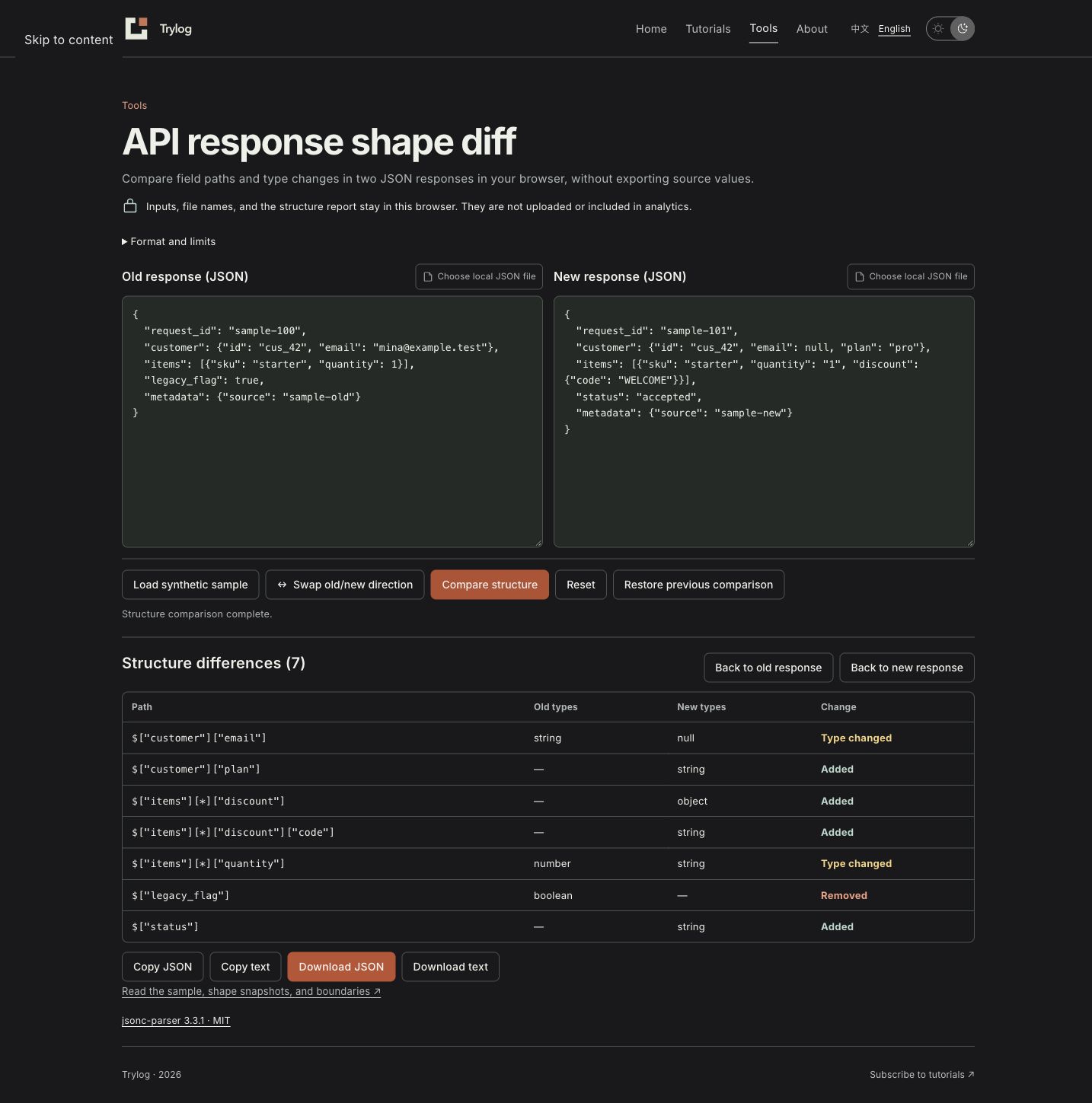
The comparison appears directly after the input area.
From JSON to paths and types, then seven differences
The comparator parses strict JSON and walks its objects and arrays. Object properties use quoted path segments, such as $["customer"]["email"]. Array elements share a [*] segment, so quantity fields across all items elements contribute to $["items"][*]["quantity"].
This produces an intermediate shape. A few entries are:
| Path | Types observed in the old sample | Types observed in the new sample |
|---|---|---|
$ | object | object |
$["request_id"] | string | string |
$["customer"]["email"] | string | null |
$["items"] | array | array |
$["items"][*] | object | object |
$["items"][*]["quantity"] | number | string |
Quoted segments keep property names separate from nesting. A key named "a.b" is one property, rather than a property b inside a. An object key named "*" also stays distinct from the array wildcard [*].
The tool aligns the two shapes by path and compares their type sets. The complete sample produces 7 differences: 4 additions, 1 removal and 2 type changes:
| Path | Change | Old → new |
|---|---|---|
$["customer"]["email"] | Type changed | string → null |
$["customer"]["plan"] | Added | Absent → string |
$["items"][*]["discount"] | Added | Absent → object |
$["items"][*]["discount"]["code"] | Added | Absent → string |
$["items"][*]["quantity"] | Type changed | number → string |
$["legacy_flag"] | Removed | boolean → Absent |
$["status"] | Added | Absent → string |
discount and discount.code are separate paths, so each counts once. Removing a whole object similarly lists its container and the child paths already observed. This is a useful navigation count, rather than a count of independent failures.
Nesting changes are handled by path as well. If {"email": "a@example.test"} becomes {"contact": {"email": "a@example.test"}}, the report removes $["email"] and adds $["contact"] and $["contact"]["email"]. It does not guess that a field moved. The consuming code still needs its access path updated.
The report records paths, direction and old/new types. It excludes original values such as mina@example.test and WELCOME. Property names remain in the report, so check whether the paths themselves contain sensitive business names before sharing it.
Reading empty arrays, mixed arrays and null
A shape comes from finite samples. Arrays make that limitation especially visible.
{"items": []}This only provides evidence for $["items"]: array; no element type has been observed. Now compare it with:
{"items": [{"id": 1}, null, "sample"]}The new shape includes null, object and string at $["items"][*], plus number at $["items"][*]["id"]. The diff lists these two newly observed paths as additions. The older request may simply have returned no data. Request conditions and the API documentation help distinguish that case from an actual contract change.
Within the input limits, the comparator visits every array element and unions the types at each path. Reordering elements alone produces no difference. The union also loses relationships between individual elements. For example:
[{"id": 1}, {"name": "Mina"}][{"id": 2, "name": "Bo"}]Both samples contain number at $[*]["id"] and string at $[*]["name"], so their path/type inventories match. A full schema or consumer test must express whether every element needs both properties. The tool does not infer required fields, string formats, enums or numeric ranges from the samples.
null is a distinct type. {"email": null} contains an email path; {} does not. Comparing them reports a removal. An empty type list in the report means that side has no observation for the path, which differs from an observed null.
Edit, encounter an error and recover
Keep every field in the new response, change only request_id to another string, and compare again: the original seven shape changes remain. If both sides have matching fields and types with only values changed, the result reports no shape differences. That conclusion applies to the two samples on screen.
Editing either side preserves the last valid result and marks it as stale. Add a trailing comma to the new response and compare. The error identifies the new-response side and its line and column; the previous result remains available. To inspect it again, restore the inputs that produced that result.
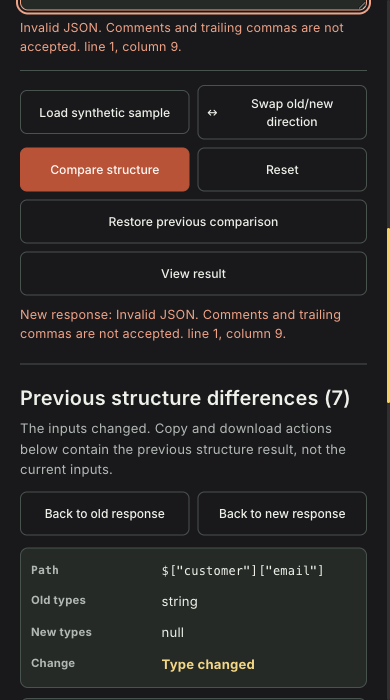
An input error leaves the last valid comparison recoverable.
Loading another file or cancelling file selection should also preserve existing work. Swapping old and new inputs reverses additions and removals and exchanges the two sides of type changes. Compare again before exporting in the new direction. When the result is stale, export controls explicitly refer to the last result so an older report is not mistaken for a comparison of the current drafts.
Each input is limited to 1 MiB, 64 nested object/array containers and 20,000 value or container nodes. Comments, trailing commas and duplicate property names are rejected. A duplicate such as {"id": 1, "id": "1"} may otherwise be reduced to its last value by a parser. Rejecting it makes the input being compared explicit. For larger responses, select a representative section locally while preserving its nesting.
Export the differences and turn them into tests
Copy the result or download it as JSON or plain text. Confirm the direction first. If the interface says “last result,” restore its inputs or compare again. Inputs and results live in memory and disappear on a page reload; download any report you need to keep.
Download the complete synthetic samples and expected results. Load the old and new JSON files, then compare the resulting seven differences with the included shape snapshots and expected diff. Input filenames and original values are excluded from the tool’s exported report.
Use the diff to find the code consuming each affected path. Is the string quantity explicitly converted? Is there a display branch for email: null? Does legacy_flag still control a workflow? Add these cases to consumer tests before accepting the new shape as a baseline. If the next task is turning the responses into a spreadsheet, continue with explicit JSON-to-CSV column mapping and its information boundaries using the field meanings you have just checked.