Making a WordPress Ability Visible to MCP: Visibility Flags, Permission Callbacks, and the Category Prerequisite
Based on the WordPress MCP Adapter v0.7.1 documentation, this guide shows how to opt an Ability into MCP, why permission_callback remains the execution boundary, and why a missing category can look like a silent production failure.
When an Ability added to a WordPress plugin is missing from an MCP client, check its visibility flag, registered category, and permission_callback in that order. An Ability is private to the default MCP server until it is explicitly exposed; even after it is exposed, permission_callback still decides whether the current caller may run it; and a missing or unregistered category makes wp_register_ability() return null.
This article separates those three layers with a read-only site-information example, following the official documentation for WordPress/mcp-adapter v0.7.1. The plugin was not installed, WordPress was not activated, no authenticated connection was made, and no MCP request was sent for this article. The code illustrates registration boundaries and has not been run on a WordPress site.
Decide who should discover the Ability first
MCP Adapter connects the WordPress Abilities API to the Model Context Protocol. Its v0.7.1 release requires WordPress 6.9 or later and PHP 7.4 or later, and it creates the default HTTP endpoint at /wp-json/mcp/mcp-adapter-default-server. That endpoint does not make every Ability on the site automatically appear to a client.
The official Creating Abilities guide makes the default explicit: an Ability is not visible through the default server unless you opt it in. Three visibility cases cover most designs:
| Goal | Registration meta | Result |
|---|---|---|
| Expose it to general clients and MCP | public => true | MCP Adapter treats the Ability as publicly exposed |
| Expose it only to MCP | mcp => [ 'public' => true ] | Other client channels do not need to be opted in as well |
| Keep a generally public Ability out of MCP | public => true plus mcp => [ 'public' => false ] | The MCP-specific flag overrides the higher-level visibility value |
public controls discovery and exposure. It does not replace authorization. At execution time, permission_callback still checks the current WordPress identity. An Ability suitable for an ordinary editorial workflow may not be appropriate for every identity that can connect to MCP.
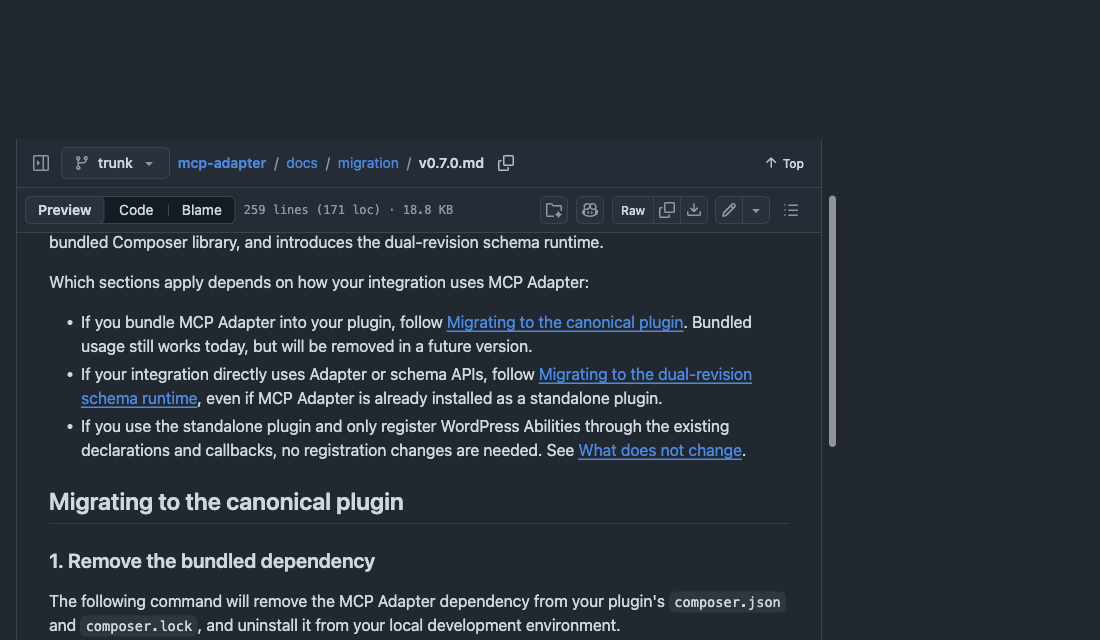
The official migration document separates the standalone plugin from the older bundled Composer library.
A read-only site-information example
The example below uses the core site category, exposes only through MCP, and leaves execution permission to current_user_can( 'read' ). It returns only a public site name and home URL. It demonstrates the registration shape; it is not a substitute for an authentication, audit, or publishing policy that has already been tested.
add_action( 'wp_abilities_api_init', function () {
    wp_register_ability( 'example/get-site-info', [
        'label'       => 'Get site info',
        'description' => 'Returns a small, read-only site summary.',
        'category'    => 'site',
        'input_schema' => [
            'type'                 => 'object',
            'additionalProperties' => false,
        ],
        'execute_callback' => function () {
            return [
                'name' => get_bloginfo( 'name' ),
                'url'  => home_url( '/' ),
            ];
        },
        'permission_callback' => function () {
            return current_user_can( 'read' );
        },
        'meta' => [
            'mcp' => [
                'public' => true,
                'type'   => 'tool',
            ],
        ],
    ] );
} );
Two decisions are easy to blur here. meta.mcp.public allows the Ability to be discovered through MCP. permission_callback checks the identity when it is called. An Ability that reads private posts, writes drafts, clears caches, or calls an external service needs a callback designed for that action’s roles and input validation. Do not relax the permission check merely because the Ability is visible only in MCP.
If type is omitted, it defaults to tool. The same registration system can declare resource and prompt components, though each needs the URI or arguments required by the documentation. This example remains an input-free, read-only tool so the visibility and execution boundary stay clear.
category is a prerequisite, not an optional label
Every Ability must specify a registered category. Core already provides site and user, so the example can use site directly. A plugin using its own category should register it on the wp_abilities_api_categories_init hook, then register the Ability that refers to it on the later wp_abilities_api_init hook.
Verify that ordering in development. If category is omitted or names a category that has not been registered, wp_register_ability() returns null, not WP_Error. With WP_DEBUG off, core only has its _doing_it_wrong() developer notice, making the registration look as though nothing happened. Checking the registration result, category hook order, and client discovery outcome is faster than repeatedly changing MCP connection parameters.
The default server uses a three-step discovery flow
The default server does not flatten every Ability into a list of separate tools. Its README describes three meta-tools: mcp-adapter/discover-abilities, mcp-adapter/get-ability-info, and mcp-adapter/execute-ability. A client discovers an Ability, reads its input and output information, and then executes the named Ability.
That changes the debugging order. If tools/list shows only Adapter meta-tools, first check whether the target Ability opted in, whether its category registered, and whether the current identity passes the permission callback. Do not immediately conclude that the REST endpoint failed. This article did not send a request, so it does not verify authentication, how a client presents meta-tools, or an Ability execution result.
The relationship between meta.public and REST also varies with the WordPress version. On WordPress 6.9 and 7.0, MCP Adapter honors the field for MCP exposure, while REST still needs an explicit meta.show_in_rest. WordPress core starts mapping meta.public to REST in 7.1. An MCP-only example does not need to add REST exposure because of this; a plugin that needs REST should put the version difference in its own test conditions.
Confirm the integration style before moving from a bundled library
Version 0.7.0 positions MCP Adapter as a canonical standalone plugin. Bundling it as a Composer library inside another plugin is deprecated. That route still works today but will be removed in a future version. A plugin that simply uses a standalone Adapter to register Abilities does not need to rewrite those declarations and callbacks.
During a migration, first establish which case applies: a plugin that only registers Abilities, one that calls Adapter or schema APIs directly, or one that bundles Adapter in its own release. They have different changes to make. The official v0.7.1 release notes also list session reliability, plugin-loading, and unavailable-Ability error changes. Run discovery and permission checks with your own WordPress and client combination before upgrading.
When you are also defining response boundaries for a website, Trylog’s guide to dynamic responses, CSP, and session privacy can help inventory which data belongs in the browser, REST, or MCP. Define the data and roles first, then add a visibility flag to the channel that needs it. That makes it harder to confuse “discoverable” with “appropriate to execute” as an Ability set grows.