AMD Adrenalin software checks before downloading a driver
Check the official AMD source, GPU model and Windows requirements using RX 6600 downloads, then choose a release and collect useful installation error details.
Before downloading AMD Software: Adrenalin Edition, record the exact GPU model and Windows version. Start at AMD Drivers and Support, open the page for that model, expand your operating system, and check the selected package’s Release Notes for its hardware list and minimum OS version. For a laptop, all-in-one PC or handheld, also check the system manufacturer’s driver guidance. Proceed to installation preparation when those checks agree.
This check was performed on October 5, 2026. I opened AMD’s English support pages and checked the RX 6600 download cards and the 26.8.1 and 26.9.2 release notes. The PC configuration below is a hypothetical input used to demonstrate the decision. I did not run the installer on an RX 6600 or measure frame rates, power consumption or stability.
Decide how much of the control interface you need
The graphics driver lets Windows and applications use the GPU. The Adrenalin package can also provide controls for games, recording and performance settings. Your installation mode determines which of those controls are available.
AMD’s installation guide lists three Software Type options. Default provides the full feature set and controls. Minimal keeps basic controls and omits advanced features such as performance tuning, recording and capture. Driver Only provides no interface for AMD Software features. If you selected Driver Only and cannot find the Adrenalin control panel afterward, checking the installation mode is a useful first step. Available options depend on the hardware and installer version.
Version numbers can describe different layers. 26.9.2 is the public package version; its release notes also list Driver Version and Windows Driver Store Version under Packaged Contents. Keep the field names with the numbers when reporting a problem so that you compare the same layer.
Find the download page using the GPU and OS identity
On the target Windows PC, open Device Manager and expand Display adapters. Record the full name. RX 6600, RX 6600 XT and RX 6600M are separate entries; choosing a newer-looking package is no reason to substitute one model for another. If the device appears only as Microsoft Basic Display Adapter, follow AMD’s identification guide: open Properties, select Details → Hardware Ids and record the identification string. The retail box or card label can also help. Leave an unresolved model unresolved until you can identify it.
Run winver to read the Windows release and use Settings → System → About to check System type. Record Windows 10 or 11, the feature release and the architecture. “Windows” alone is too vague to compare with a package requirement. For a laptop, record the system model as well.
On the official site I used Browse Products and selected Graphics → Radeon RX → Radeon RX 6000 Series → AMD Radeon RX 6600, then submitted the selection. This opened the RX 6600 support page. Expanding Windows 11 - 64-Bit Edition revealed both the detection tool and complete Adrenalin packages.
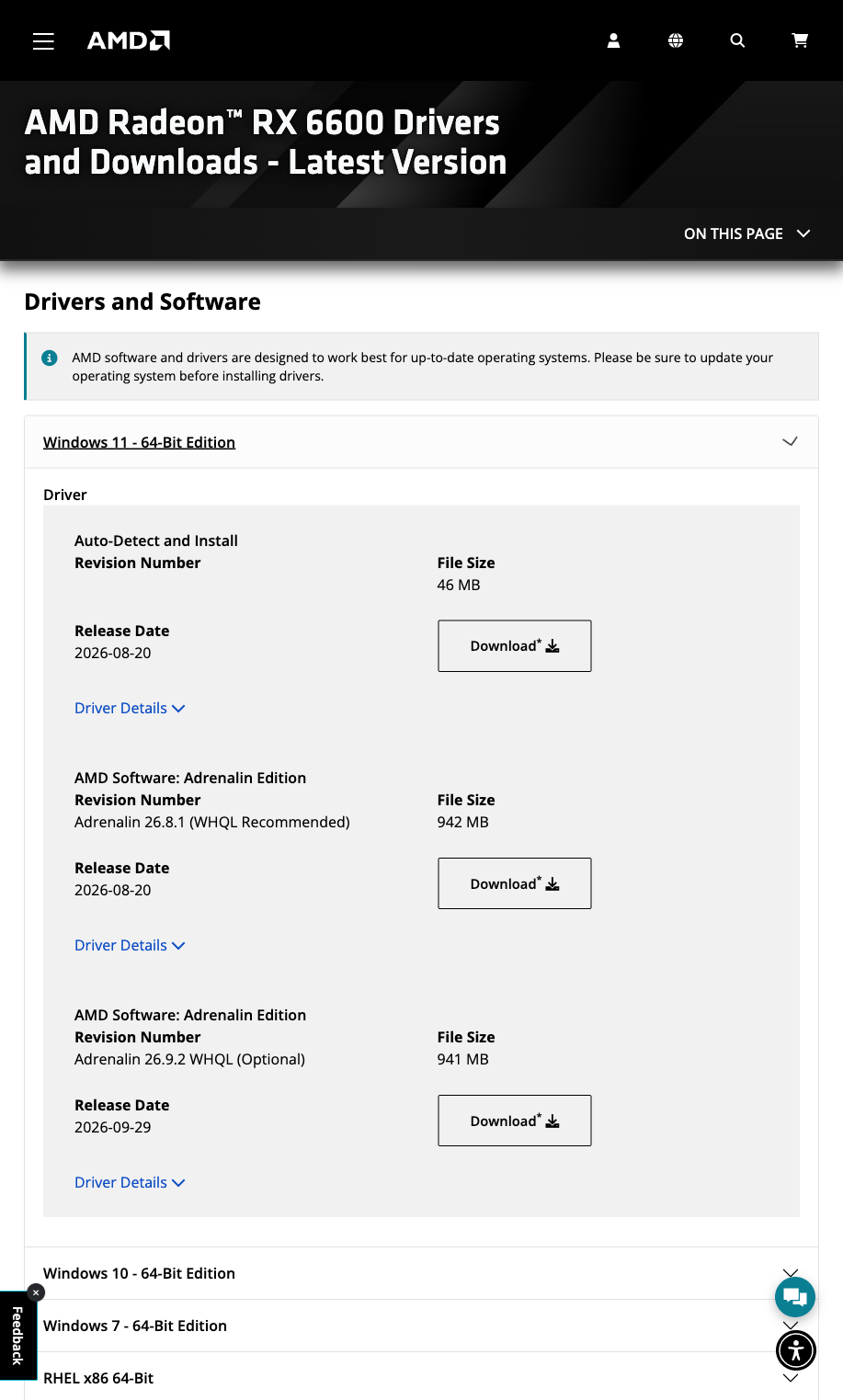
The RX 6600 page lists Recommended and Optional packages together.
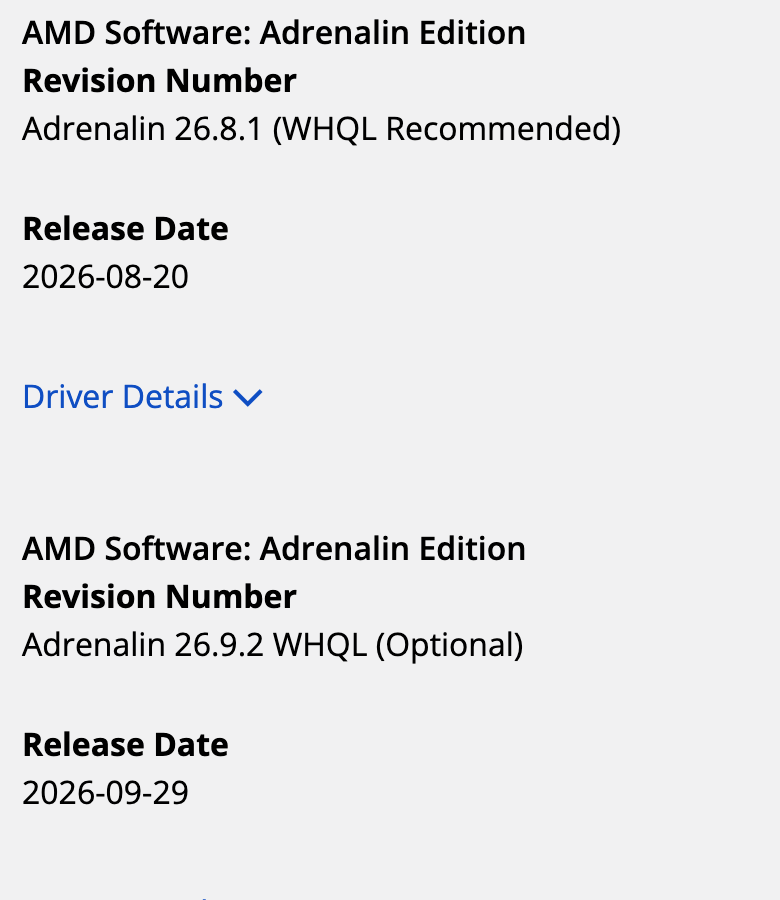
A closer view of the versions and release dates.
| Download card | Version shown | Release date shown | How to interpret it |
|---|---|---|---|
| Auto-Detect and Install | Linked filename includes 26.8.1 minimalsetup | 2026-08-20 | Detects the target PC’s hardware and OS, then obtains supported drivers |
| AMD Software Adrenalin Edition | 26.8.1 WHQL Recommended | 2026-08-20 | The Recommended full package considered first in this example |
| AMD Software Adrenalin Edition | 26.9.2 WHQL Optional | 2026-09-29 | Review fixes and known issues before choosing the newer Optional package |
These are the cards observed during this check; AMD can update them. The Auto-Detect documentation describes Recommended drivers in terms of stability and Microsoft certification, and Optional drivers as offering newer features and fixes. Both full packages here display WHQL, while their Recommended and Optional labels differ. Read certification and release labels together.
Keep the path from the official support page to the release notes and download button. In this check the full Windows package buttons pointed to drivers.amd.com; the Optional filename was whql-amd-software-adrenalin-edition-26.9.2-win11-a.exe. The domain and filename help check the destination. I did not download the EXE or verify its signature or byte hash. After an actual download, inspect Properties → Digital Signatures. If a signature is missing or Windows reports it as invalid, stop before running the file and recheck the source. Avoid replacing this source trail with an advertised driver updater or a third-party mirror.
Check the detection tool and driver package requirements separately
The entry page and GPU-131 documentation describe Auto-Detect support for Windows 11 21H2 and later, and Windows 10 64-bit 1809 and later. The 26.8.1 and 26.9.2 release notes both specify Windows 11 21H2 and later, but Windows 10 64-bit 21H2 and later. The installation guide says requirements can change as products and features are introduced and directs readers to current release notes.
Windows 10 1909 therefore falls within the detection tool’s stated range while remaining below the 26.9.2 package’s 21H2 minimum. The final check is the selected package’s requirements and your hardware. Starting the detection tool is only one step. Likewise, a historical Windows 7 section on the product page does not extend 26.9.2 support to Windows 7.
Both packages’ desktop compatibility lists include the RX 6600 series; its mobility list separately includes RX 6600M. The same document describes notebook reference-driver support for vendor-specific features as limited. It recommends OEM drivers for laptops and all-in-one PCs and sends handheld users to their OEM for device-specific drivers. A listed GPU and supported system-specific features are separate checks. Linux users should use AMD’s Linux route to check the distribution and package, rather than the Windows EXE.
Work through one input and decision
Assume a desktop with an identified AMD Radeon RX 6600, Windows 11 24H2 and a 64-bit system. The goal is a stable everyday development and editing environment, with no current error that requires a new driver fix.
| Check | Information in this example | Decision |
|---|---|---|
| GPU identity | Desktop RX 6600 | Use its page, not the XT or M entry |
| OS identity | Windows 11 24H2, 64-bit | Open the Windows 11 section; the 26.9.2 21H2 minimum is met |
| Release choice | 26.8.1 Recommended and 26.9.2 Optional | Consider Recommended first; consider Optional for a relevant fix or feature |
| Package compatibility | Both packages list the RX 6600 series and support the example OS | Both declared requirements match; this example selects 26.8.1 Recommended for evaluation |
| System type | Desktop | No laptop-specific OEM feature dependency in this example; keep the board vendor information |
| Installation mode | Basic controls needed, no recording or performance tuning | Consider Minimal; choose Default if the full controls are needed |
The output is a record saying “26.8.1 Recommended source and declared compatibility checked; installation preparation remains.” I opened the 26.8.1 release notes and the 26.9.2 notes separately, checked each GPU and OS list, then selected Recommended for this task. The 26.8.1 notes also require administrator rights and say the driver is not intended for Apple Boot Camp platforms. Check these prerequisites before an actual installation.
Change the input to Windows 10 1909 and the output becomes “OS does not meet the stated 26.9.2 requirements; address the OS version or find an appropriate official driver.” For an OEM laptop or handheld, first check the system vendor’s package and limitations. A Ryzen CPU name alone leaves the compatible Radeon GPU identity unresolved; chipset and graphics drivers require separate checks.
Save a baseline before installation
Record the current driver version, GPU identity, Windows version and existing error. Close GPU-dependent work, complete pending Windows updates and restarts, and back up important work. Keep the official entry for the OEM or original driver so that you can locate the right version if recovery is needed. A network installer also needs access to AMD download resources. Do not interchange it with the complete package merely because their names look similar.
Factory Reset removes previous AMD software packages and restarts the system during the process. AMD’s installation documentation explicitly says that you cannot roll back to the previously installed drivers after using this option. Use it when a cleanup is justified; follow the corresponding installation instructions for an ordinary update. No Factory Reset, uninstall or production-PC upgrade was performed for this article.
After an actual installation, record the device status and driver version again, check whether the selected software interface appears, and run one fixed task from your own workflow. For example, open and export the same editing project. A performance comparison needs controlled projects, settings and conditions plus separate measurements; this article offers no performance result.
Collect the failure details before choosing a remedy
AMD’s installation error directory distinguishes several causes. The table below organizes those entries into starting points. These errors were not triggered on a test PC.
| Error | Meaning in AMD’s directory | Record and check first |
|---|---|---|
| 182 | Detected AMD graphics hardware is unsupported | Exact model, Hardware Ids, OEM model and selected package list |
| 184 | Unsupported operating system | Windows feature release, architecture and package OS requirements |
| 195 or 196 | Web resources inaccessible or driver download unavailable | Complete message, network and proxy conditions, download path |
| 202 or 206 | Windows update active or pending | Update and restart status; complete the relevant official procedure before retrying |
| 205 | Installation completed but Windows Update may have reverted the driver | Before and after versions, update history and sequence of events |
| 1603 | General installation error | Message, failing stage and logs, then the detailed article for that code |
If AMD Software reports that its version does not match the driver, save that exact text and compare the installed software and driver versions, including any Windows Update intervention. A missing control panel alone is insufficient reason for a full cleanup: Driver Only and the version change described by Error 205 lead to different checks.
Keep the support URL, package version, system information, exact error and before-and-after observations in one record. For Linux experiments inside a browser, see using Linux in a browser and checking its limits. That browser environment and a local Windows GPU installation have different execution boundaries.