Save developer project links and restore your browser entry points
A two-project bookmark HTML walkthrough with actual URL and form-state results, plus documented native tab group and KeepIt capabilities, permissions and limits.
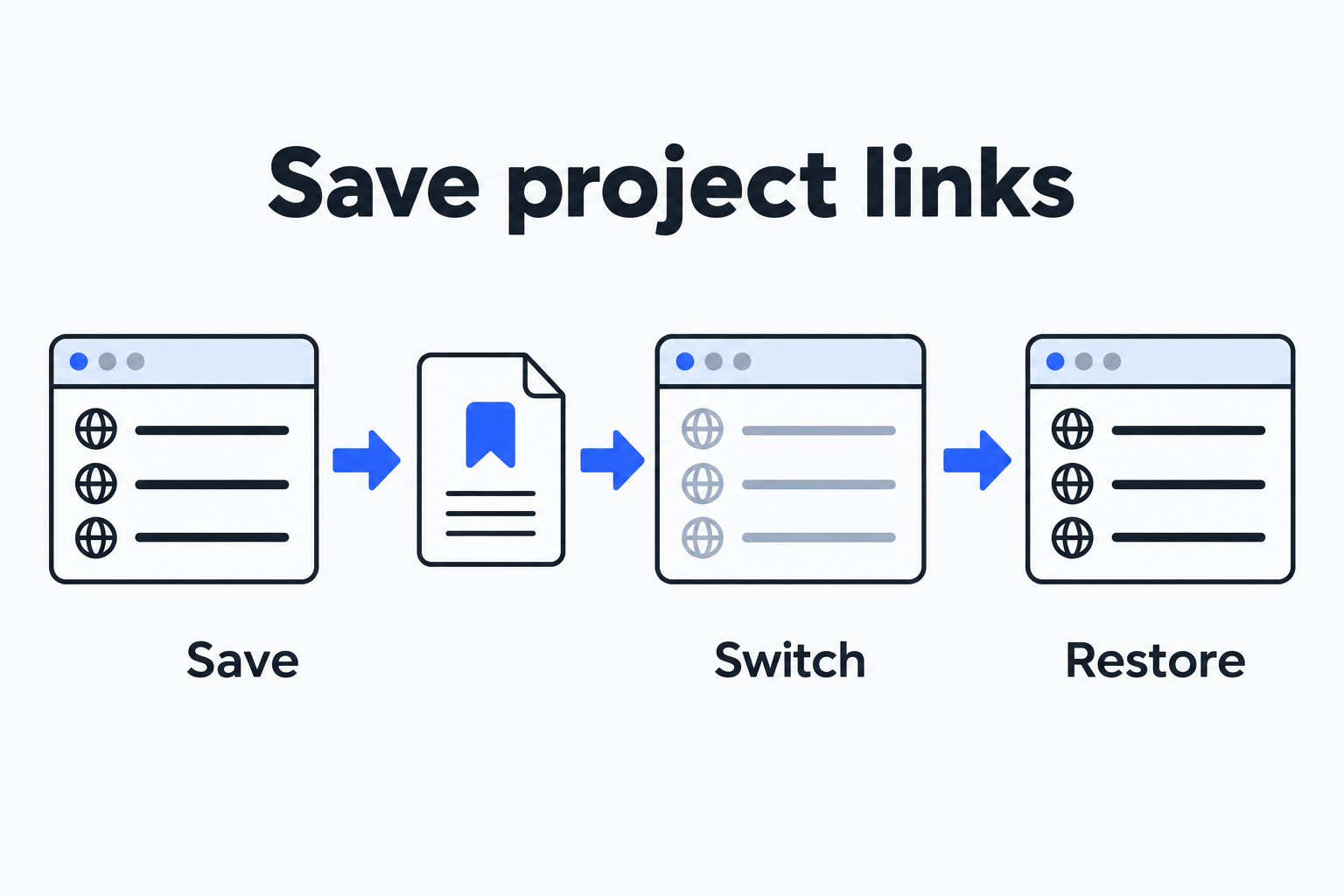
Project A has a documentation page, a repository and a local preview open. You need to work on Project B now, but want to find A again next week. Start by saving each project’s links as a named list, check that the file contains complete URLs, then close the tabs. This walkthrough uses two public projects with three links each. Both sets reopened with all their URLs intact. Temporary text in the local forms disappeared.
That is a useful way to preserve entry points. Restoring group names, colors or pinned tabs needs more metadata than a URL list contains. Define what you want to recover before choosing native browser groups or a session manager.
Inputs for two small projects
Project A investigates URL parameters; Project B explores SQLite query plans. Each uses a documentation page, a source repository and a local sample. Three links make missing and duplicate entries easy to check.
-
Project A: MDN URLSearchParams, whatwg/url repository, and the local sample at http://127.0.0.1:8744/project-a.html.
-
Project B: SQLite Query Planner, sqlite/sqlite repository, and the local sample at http://127.0.0.1:8744/project-b.html.
Download the bookmark HTML and local samples, then extract them into one directory. The project-links.html file uses the standard Netscape bookmark format, with Project A and Project B folder headings. The two local pages only demonstrate temporary input. They store no input and send no external requests.
Start the samples with Python, replacing /path/to/fixtures with the extracted directory:
python3 -m http.server 8744 --bind 127.0.0.1 --directory /path/to/fixturesOpen http://127.0.0.1:8744/project-links.html in your browser. The actual test ran on macOS in Ego 0.5.1.13, using Chromium 152.0.7977.54. Only tabs created for these samples were operated on. We opened the bookmark file directly and followed its links; importing it into a daily browser’s bookmark library was not tested.
Save the list before closing the project
The HTML file is the saved artifact. It retains titles, URLs and the A/B folder hierarchy on disk, and remains readable on its own. A minimal equivalent looks like this:
<!DOCTYPE NETSCAPE-Bookmark-file-1>
<META HTTP-EQUIV="Content-Type" CONTENT="text/html; charset=UTF-8">
<TITLE>Developer project link sets</TITLE>
<H1>Developer project link sets</H1>
<DL><p>
  <DT><H3>Project A</H3>
  <DL><p>
    <DT><A HREF="https://developer.mozilla.org/en-US/docs/Web/API/URLSearchParams">MDN URLSearchParams</A>
    <DT><A HREF="https://github.com/whatwg/url">WHATWG URL repository</A>
    <DT><A HREF="http://127.0.0.1:8744/project-a.html">Project A local sample</A>
  </DL><p>
</DL><p>
Reopen the saved file and inspect its links. A title helps you recognize an entry; the full URL determines the destination. A note containing only page names can still leave you searching again later. In a real project, replace disposable search results with the documentation or issue you intend to continue reading, remove duplicates, and keep a short next-action note with the project. Review URLs for access tokens, customer identifiers and private paths before exporting or sharing them.
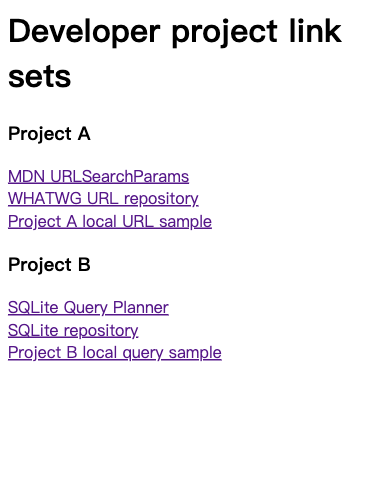
Both projects remain in one file. Only the current project’s links need to be open.
Follow this sequence:
-
Middle-click, or Command-click on macOS, each of Project A’s three links. Compare the opened addresses with the input list.
-
Enter A temporary note that is not saved in the local page’s Unsaved project note field. Save any real editing work in its application or file before continuing.
-
Keep the bookmark file, and close only the three A tabs you just opened. Avoid applying Close all other tabs to a window containing unrelated work.
-
Open Project B’s three links. Confirm the SQLite documentation, repository and local B sample. Enter B temporary note that is not saved, then close these three tabs.
-
Return to the bookmark file and reopen A’s links in their original order. Compare the addresses and input value. Close A, reopen B, and repeat the comparison.
Saving a list and closing tabs are separate operations. This file does not track tabs opened afterward or capture form text when you close a page. Add a newly useful debugging document to the list if it should appear in the next restore.
What actually came back
Both projects produced the same result: 3 URLs before closing and 3 reopened, with 0 missing and 0 duplicate URLs. Clicking the list in order reproduced the input order. Both temporary form values were empty after reopening.
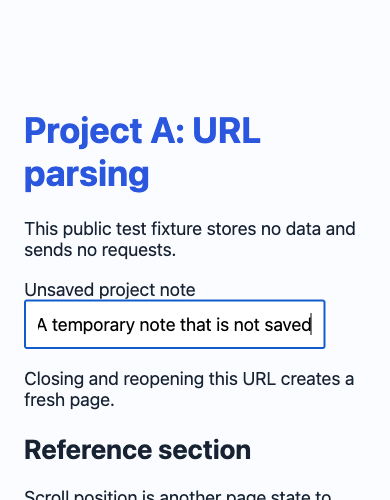
The temporary note was present before closing.
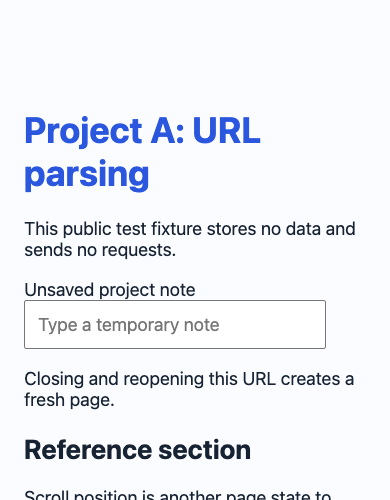
The URL returned. The input value did not.
This HTML contains links and folder headings, with no fields for native group colors, collapsed state, pinned state or the active tab. No native groups were created in this test, so seeing the A/B folders is not evidence of restored browser groups. Website sign-in depends on browser profile data and site sessions; login persistence was not tested. The local page fit the viewport, so it did not provide a meaningful before-and-after scroll-position test. Editor state and crash recovery were also outside this test.
A local preview has an additional dependency: a service must be running at 127.0.0.1:8744. A bookmark list does not start Python, Node or a database. If the preview cannot connect when you return, check its port, working directory and start command. Using the list on another machine requires the sample files and a local service there too. Keep the start instructions alongside the links so a handoff does not end at an unreachable localhost address.
Compare the file with native groups and KeepIt
Chrome’s official tab instructions describe Add tab to group, naming and coloring groups, and Close group. Google says a closed group is saved in the bookmarks bar or menu and can be opened again. When browsing history and tabs are synced with a Google Account, group changes sync across devices. These are documentation comparisons: this test did not operate on the user’s bookmark library, native groups or sync settings.
-
Local bookmark HTML preserves readable, portable named link sets. Both projects were actually closed and reopened with matching URLs.
-
Chrome native tab groups preserve browser group names, colors and tab organization. The comparison here uses current official instructions; native groups were not tested.
-
KeepIt named sessions are intended for windows or selected tabs, with snapshot and restore controls. Its store, documentation and policy were checked; the extension was not installed or tested.
The topic came from an r/webdev discussion. The original post body is now removed by moderators. Readable comments by Naveen9667 still describe saving Project A, closing it, switching to B and restoring A later. That establishes the author’s intended use case, rather than demonstrating every recovery capability of the extension.
The KeepIt store listing shows version 1.0.3, English support and in-app purchases. Its documentation, as checked for this article, lists unlimited local sessions, up to three folders, three cloud sessions and snapshots every three minutes in the free plan. Pro is listed at $2.99 per month or $24.99 per year, with unlimited folders and cloud sessions and one-minute snapshots. Check the current plan and checkout details before buying; prices and limits can change.
The developer says KeepIt preserves native group titles, colors and collapsed states, and supports access to cloud sessions across Chrome on Mac, Windows, Linux and ChromeOS. Edge, Firefox and Safari compatibility was not verified. Saving inside the installed extension, automatic snapshots, performance and cross-device restoration were not tested.
The privacy policy separates local and cloud use. Offline sessions, snapshots and settings default to chrome.storage.local. Signing in and enabling Cloud Sync or sharing sends selected session data to its Supabase backend. Listed permissions are tabs, tabGroups, storage, alarms, sessions and identity. Saved metadata includes titles, URLs, favicon references, positions, pinned state and group information. The policy says it does not collect form contents. Those are developer statements; no network audit was performed here. Before giving a session extension real project tabs, use a small public set to test local saving and export, then decide whether its scope fits your work.
For finding documentation, a repository and a preview next week, a named link file already separates the entry points for two projects. If group state or frequent snapshots matter, test native groups or a session manager with the same input list, and check URLs, tab metadata, application contents and running services separately. For related dependencies, see Linux and a TUI inside a browser and DevOps release recovery.