Qwen-Image-2.1-Turbo: Why Changing the Step Count Is Not Enough
Load Turbo with QwenImage21Pipeline, keep its saved eight-step sampling schedule, and check Diffusers dependencies, KV caching, and image-editing inputs.
When switching an existing Diffusers script to Qwen/Qwen-Image-2.1-Turbo, first check that the pipeline loads the sampling schedule saved with the checkpoint. Turbo ships with its recommended eight-step schedule. According to the official model card, setting num_inference_steps alone does not override it.
This matters for a common migration pattern: an old wrapper may always pass num_inference_steps=30 and log 30 as the requested value, while the active schedule still comes from the checkpoint. Start with the documented defaults before choosing parameters to experiment with. The steps below follow the official documentation; we have not run model inference locally, so this guide contains no measured latency, memory use, or image-quality results.
Check the pipeline and dependencies first
Turbo is an accelerated Qwen-Image-2.1 checkpoint. The official introduction describes a 7B visual generation architecture supporting text-to-image generation and image editing through QwenImage21Pipeline. The model card requires a CUDA-compatible PyTorch installation and gives these dependency commands:
pip install git+https://github.com/huggingface/diffusers.git
pip install "transformers>=5.17.0" accelerate pillow
Installing Diffusers from source has a specific purpose here: the environment needs pipeline-configured sampling sigmas, introduced in PR #14950. If an older environment cannot import QwenImage21Pipeline, check the installed version and active Python environment first. Changing generation parameters will not supply a missing pipeline.
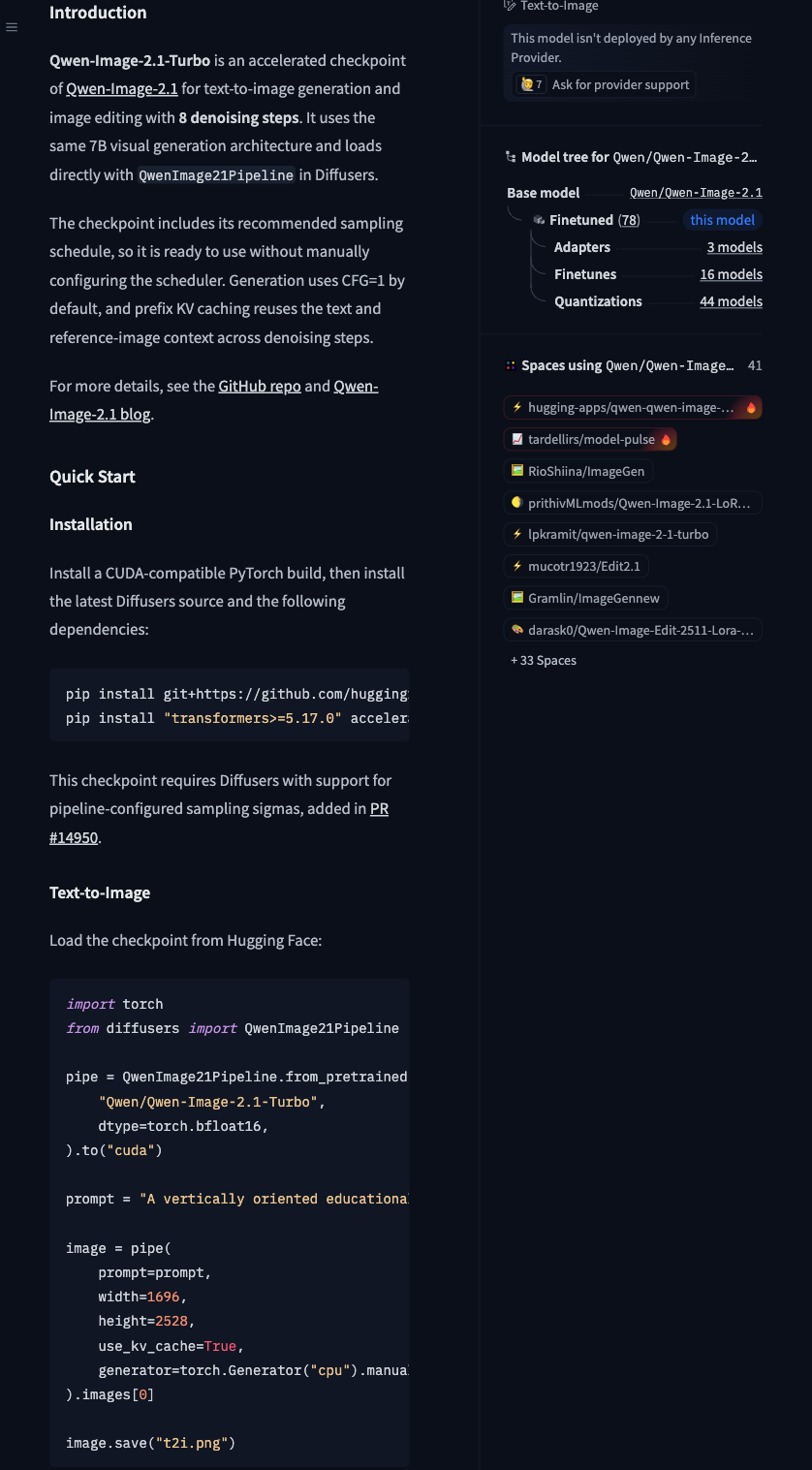
The official Qwen model card lists the eight-step schedule, KV caching, and dependencies. Full commands appear in the article.
Once installation is verified, record the actual PyTorch, Diffusers, and Transformers versions in your run notes. A source installation can change with upstream development, so keep the commit used for reproducibility. The model card does not establish a verified minimum VRAM requirement here; the “7B” label alone is insufficient to determine whether a particular GPU can load the model.
Establish a first output with the default schedule
The following keeps the official text-to-image call and replaces its long example prompt with a shorter one. It is an adapted documentation example; its image content and quality have not been tested.
import torch
from diffusers import QwenImage21Pipeline

pipe = QwenImage21Pipeline.from_pretrained(
    "Qwen/Qwen-Image-2.1-Turbo",
    dtype=torch.bfloat16,
).to("cuda")

prompt = (
    "A portrait editorial illustration of a small blue bicycle "
    "beside a white wall, soft daylight, generous empty space."
)

image = pipe(
    prompt=prompt,
    width=1696,
    height=2528,
    use_kv_cache=True,
    generator=torch.Generator("cpu").manual_seed(42),
).images[0]

image.save("t2i.png")
This call preserves three details that can disappear inside a generic wrapper:
- Load
QwenImage21Pipelineexplicitly so the appropriate pipeline reads the checkpoint configuration. - Keep the saved schedule instead of adding
sigmascopied from another model. - Enable
use_kv_cache=Trueto reuse text and reference-image context across denoising steps, as documented.
The model uses CFG=1 by default. Start with these defaults and save the prompt, seed, dimensions, dependency versions, and actual output before comparing changes under the same conditions. A fixed seed helps control one variable, but pixel-level reproducibility across hardware and dependency versions still needs verification.
Record the step parameter separately from the sampling schedule
num_inference_steps is an argument supplied to the call; sigmas describes the noise level at each step. Turbo stores its recommended schedule in the checkpoint, and the official documentation explicitly says that setting the former alone will not override the saved schedule. In a shared image-generation service, the step count shown in the interface should be traceable to the schedule actually used, rather than copied from the request.
An explicit call-time sigmas argument can override the saved schedule. However, the official documentation says other schedules have not been evaluated for this checkpoint. If you experiment, keep that as a separate configuration and compare outputs with the same prompt, seed, and dimensions. Successfully writing an image file does not establish equivalent quality.
For another model-specific integration, see FLUX 3 Image Klein distilled inference. Both integrations require attention to their own defaults. The FLUX prompt upsampler and Qwen’s sampling schedule serve different purposes, so their parameters are not interchangeable.
Move on to image editing
The official editing example reuses the pipeline, converts the reference image to RGBA, and passes it through image, with a 2048 × 2048 output. The following replaces the official online sample with your own local file while keeping the call structure:
from PIL import Image

input_image = Image.open("input.png").convert("RGBA")

image = pipe(
    prompt="Keep the object shape and replace the background with a plain blue wall.",
    image=input_image,
    width=2048,
    height=2048,
    use_kv_cache=True,
    generator=torch.Generator("cpu").manual_seed(42),
).images[0]

image.save("edit.png")
RGBA describes input preparation. This code does not request a transparent output background or guarantee that every original edge will be preserved. Compare the subject shape, text, occlusion, and edges with the input separately. For preparing a fixed-size web asset from the output, see cropping or padding an image to 1024 × 1024.
The official landscape 16:9 preset is 2752 × 1536, the portrait 9:16 preset is 1536 × 2752, and the square preset is 2048 × 2048. Starting with the corresponding preset makes comparison with official examples easier than choosing arbitrary dimensions.
Before publishing a commercial integration, review the specific usage conditions in the Qwen Research License Agreement. The model card identifies the license as qwen-research. This guide establishes the integration parameters. Once your GPU produces a first output, add measured runtime, memory use, and an image-quality comparison on the same task before deciding whether to replace your existing generation pipeline.